
Is your Ford F-350 interior light stuck on and draining the battery overnight? This frustrating issue often stems from a simple switch position or a stuck door sensor you can fix today.
You will learn exactly how to turn off interior lights Ford F350 models using overhead switches, dashboard menus, and quick sensor checks. These steps restore full control to your cabin lighting system in minutes.
Locate the Dome Light Switch Position
The most direct method to control cabin illumination involves the physical switch on your ceiling. On 2011 through 2016 Ford F-350 trucks, this control sits near the map lights or overhead console.
Understand the Three Switch Settings
Your dome switch likely features three distinct positions that dictate light behavior.
* On: Forces interior lights to stay illuminated constantly regardless of door status.
* Door: Activates lights only when a door opens and turns them off after a set delay.
* Off: Disables all automatic and manual interior lighting functions immediately.
Rotate the dial to the Off position if your lights refuse to die down. This single action resolves the majority of persistent lighting complaints without needing tools.
Check Overhead Console Variants
Some trim levels include extra buttons for cargo areas or specific map lights. Ensure none of these secondary controls are overriding your main setting. Press the dome button firmly to toggle modes if your model uses a push-button system instead of a dial.
Use the Instrument Cluster Menu Settings

Modern F-350 trucks allow deep customization of lighting behavior through the digital dashboard. You can adjust timing and triggers if physical switches fail to solve the problem.
Access Lighting Configuration Options
Navigate the menu system to find precise controls for your interior environment.
1. Turn the ignition key to the RUN position without starting the engine.
2. Press the Menu button located on your steering wheel controls.
3. Scroll using arrow buttons to select Vehicle or Settings.
4. Choose Lights and then tap Interior Lights.
5. Modify the Dome Light Delay or brightness levels as needed.
You can typically select delay times like 10, 20, or 30 seconds. Setting this to zero or off prevents the lights from lingering after you close the door.
Disable Door Trigger Responses
Certain configurations let you stop lights from activating when doors open. Look for an option labeled Dome Light on Door Open within the menu. Toggling this off stops automatic activation while keeping manual override available via the ceiling switch.
Check Door Ajar Switch Functionality
Faulty door sensors often trick the truck into thinking a door remains open. This keeps the interior lights on even when the cabin is secure.
Identify the Problematic Door Sensor
Close every door firmly and watch your dashboard display closely. If the door ajar warning icon remains visible, a specific switch is failing to engage. Spray electrical contact cleaner into each door jamb switch mechanism. Open and close the affected door repeatedly to free any stuck components.
Test Each Door Individually
Ask a helper to watch the interior lights while you operate each door one by one. If the light fails to activate when a specific door opens, that sensor has likely failed. Conversely, lights staying on after closing indicate a switch stuck in the closed position. Replacing these switches is inexpensive and requires only a flathead screwdriver.
Inspect Glove Box and Tailgate Sensors

Lighting circuits often monitor more than just the main cabin doors. Overlooking these secondary access points can lead to confusion during troubleshooting.
Examine the Glove Box Microswitch
The glove compartment contains a small switch that signals when it is open. If this tab gets jammed or misaligned, the truck believes the box is ajar. Push the plastic tab gently to ensure it clicks back into place. Applying a small amount of dielectric grease can prevent future sticking issues.
Verify Tailgate Ajar Status
On Crew Cab models, the tailgate position influences the lighting logic system. A faulty tailgate switch sends false signals keeping lights active. Clean the latch mechanism thoroughly and test its operation. Address any tailgate ajar messages on your dash before proceeding with other fixes.
Reset the Body Control Module
Electronic glitches in the Body Control Module (BCM) can cause lighting systems to malfunction. A soft reset often clears these temporary errors effectively.
Perform a Soft System Reset
Follow this sequence to reset the lighting logic without disconnecting power.
1. Turn off the ignition and remove the key completely.
2. Open and close all doors including the tailgate.
3. Wait approximately 3 to 5 minutes for the BCM to power down fully.
4. Close all doors and wait one additional minute.
5. Start the truck and recheck interior light operation.
This process allows stored electrical charge to dissipate. It frequently clears phantom door signals or lighting delays stuck in a loop.
Disconnect Battery as Last Resort
Use this method only if the soft reset fails to work.
1. Turn off the truck and remove the key.
2. Disconnect the negative battery terminal carefully.
3. Wait at least 10 minutes for total system discharge.
4. Reconnect the terminal and start the engine.
This hard reset clears all BCM codes and recalibrates lighting logic. Be aware this may reset radio presets and other learned vehicle settings.
Prevent Automatic Light Activation
You may prefer manual control over all interior lighting functions. Adjusting specific settings stops unwanted automatic activation entirely.
Set Dome Switch to Off Permanently
Leave the overhead switch in the Off position at all times. This disables automatic response features while allowing you to turn lights on manually by pressing the bulb cover. This is ideal for camping or situations requiring total darkness.
Disable Courtesy Lights in Cluster
Enter the instrument cluster menu and find Courtesy Lights or Approach Lights. Set the delay timer to 0 seconds or select Off. This prevents lights from activating when you unlock doors with the key fob or remote.
Address Wiring and Short Circuits
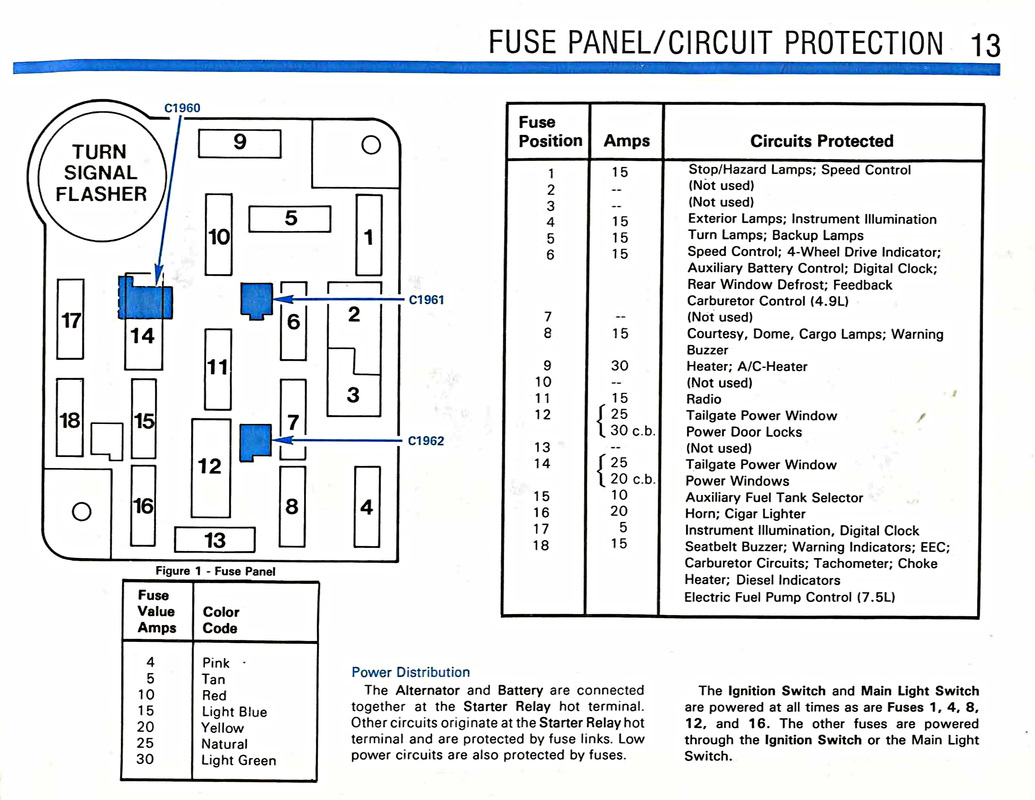
Persistent lighting issues with no obvious cause may indicate an electrical fault. Aftermarket additions often interfere with factory lighting circuits.
Look for Aftermarket Add-Ons
Accessories like dash cams or USB ports spliced into lighting wires can backfeed power. Unplug any recent electrical additions to test if the problem resolves. Factory wiring should remain untouched by non-OEM components.
Check the Interior Fuse Panel
Locate the fuse box inside the cabin below the dash on the driver side. Identify fuses labeled:
* DOME
* INTERIOR LIGHTS
* BCM
Pull the DOME fuse briefly to see if lights extinguish. If they do, a downstream component is drawing power. Inspect for melted contacts or moisture damage. Replace blown fuses with the correct amperage rating.
Use Key Fob to Control Lights
Your remote key fob offers hidden lighting control features many owners overlook. These functions can help manage cabin illumination remotely.
Turn Lights On and Off Remotely
Press and hold the unlock button for two seconds to activate approach lights. To turn them off remotely, press and hold the lock button for three seconds on most models. This action cancels active interior lighting triggered by remote commands.
Program Fob Behavior Settings
Some F-350 models allow customization of fob lighting responses via the dashboard. You can disable automatic light turn-on when unlocking or shorten activation duration. Navigate to Remote Locks & Lights in the settings menu to adjust these preferences.
Final Troubleshooting Checklist
Use this quick list when interior lights refuse to turn off despite your best efforts.
Quick Diagnostic Steps
- ✅ Ensure dome switch is set to Off or Door
- ✅ Verify all doors are fully closed and latched
- ✅ Confirm no door ajar warning appears on dash
- ✅ Check that glove box and tailgate are closed
- ✅ Inspect for stuck buttons on overhead console
- ✅ Ensure battery terminals are clean and tight
- ✅ Remove aftermarket accessories from lighting circuit
Common Mistakes to Avoid
- Leaving the switch in the On position accidentally
- Ignoring a faint door ajar chime or warning
- Forgetting that the tailgate counts as a door sensor
- Using non-OEM bulbs that draw excess current
- Disconnecting battery without resetting learned features
When to See a Professional Mechanic
Consult a Ford technician if lights stay on after trying all previous steps. Complex issues may require specialized diagnostic equipment to resolve.
Potential causes include a failed BCM needing reprogramming or shorted wiring harnesses behind the dash. A professional scan tool reads door switch status in real time. This pinpoints the exact source of the electrical fault quickly.
Frequently Asked Questions About Ford F350 Interior Lights
Why won’t my Ford F350 interior lights turn off?
The most common cause is a door ajar switch stuck in the open position. Check your dashboard for warning icons and inspect all door latches including the tailgate.
How do I disable interior lights when doors open?
Navigate to the instrument cluster menu and select Vehicle Settings. Find the interior lights option and disable the feature that activates lights upon door opening.
Can a bad door switch drain my F350 battery?
Yes, a faulty door switch keeps interior lights on continuously. This draws power from the battery overnight and can leave you unable to start the truck.
Where is the dome light switch on a 2011-2016 F350?
The switch is located on the ceiling near the overhead console or map lights. It typically has On, Door, and Off positions for controlling cabin illumination.
Does disconnecting the battery reset the interior light system?
Disconnecting the negative battery terminal for 10 minutes resets the Body Control Module. This often clears glitches causing lights to stay on unexpectedly.
Key Takeaways for Turning Off Ford F350 Interior Lights
Mastering how to turn off interior lights Ford F350 trucks ensures your battery stays charged and your cabin remains dark when needed. Most issues resolve by checking the dome switch position or cleaning stuck door jamb sensors. Regular maintenance of these simple components prevents frustrating electrical gremlins.
Take action today by inspecting your overhead switch and testing each door sensor. These quick checks save time and prevent unnecessary service visits. Your 2011–2016 F-350 will run smoother with proper attention to these small but critical details.


