

Is your F-150 110V outlet not working? You’re not alone. Thousands of Ford F-150 owners have reported sudden failures of their 110V power outlets, especially in models from 2021 to 2024. The good news: most issues aren’t due to a blown inverter or expensive repair. In fact, the problem is often a simple software setting, tripped breaker, or a known wiring defect covered under a Ford TSB. Whether you drive a PowerBoost hybrid or a standard V8, this guide delivers the exact steps to diagnose and fix your 110V outlet fast.
You’ll learn how to check fuses, reset the system, interpret LED clues, and avoid unnecessary dealer visits. By the end, you’ll know if it’s a 30-second fix or a warranty-covered repair.
Check Pro Power Onboard Setting
For 2021-2024 F-150s, the most common cause of a dead 110V outlet is Pro Power Onboard being turned off. Even if the engine is running, outlets stay off until this feature is activated. This software-related issue resolves over 60% of reported cases.
Enable Pro Power in Infotainment
Go to your SYNC infotainment screen and tap Features. Select Pro Power from the menu. If the toggle shows Off, tap it to turn on. Wait 5 seconds for the system to initialize. Your outlet should now power up. This single step fixes the majority of dead outlet complaints.
Look for Activation Prompts
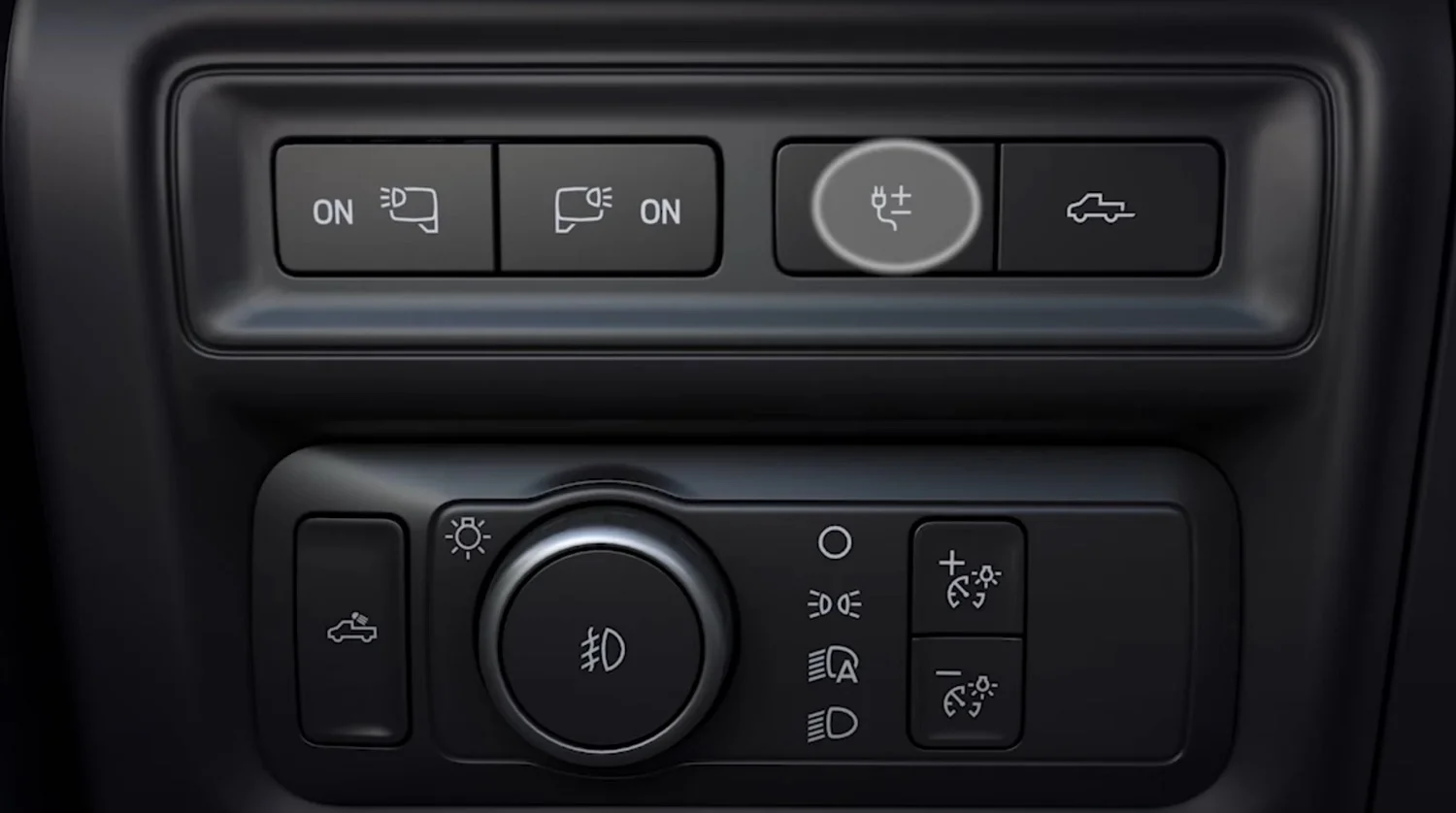
Some models display prompts like Low Power Mode On or Pro Power Active after startup. Watch your dashboard for these messages. A dashboard icon, often a plug with waves, confirms Pro Power is live. If the icon is missing, your truck may not have the feature equipped. Check your window sticker or Ford Owner Portal to confirm equipment.
Confirm With a Working Device
After enabling Pro Power, test the outlet with a phone charger or LED lamp. Avoid high-wattage devices during initial testing. If the device powers up, the issue was software-related. If not, move to the next diagnostic step. Never assume hardware failure before verifying this setting.
Reset the Circuit Breaker

On PowerBoost hybrid models with 7.2 kWh capacity, a resettable circuit breaker protects the 110V system. A tripped breaker is a frequent culprit for sudden outlet failures.
Locate Dash-Mounted Breaker
The breaker is located on the right side of the instrument panel, just below the glove box. Look for a small flip-up cover. Open it to reveal a red or black reset button. This component exists only on hybrid models with the larger inverter system.
Press and Retest
Push the button firmly until it clicks. This resets any overload or short-circuit fault. Restart the engine and enable Pro Power again. Test the outlet. If it works, the breaker had tripped, likely due to a power surge or wet connection.
Watch for Re-Tripping
If the breaker trips again immediately, unplug all devices and inspect them. A faulty appliance or damaged cord can cause repeated trips. Check the outlet for moisture, especially after rain or car washes. Dry thoroughly before reuse.
Inspect Fuses and Connections
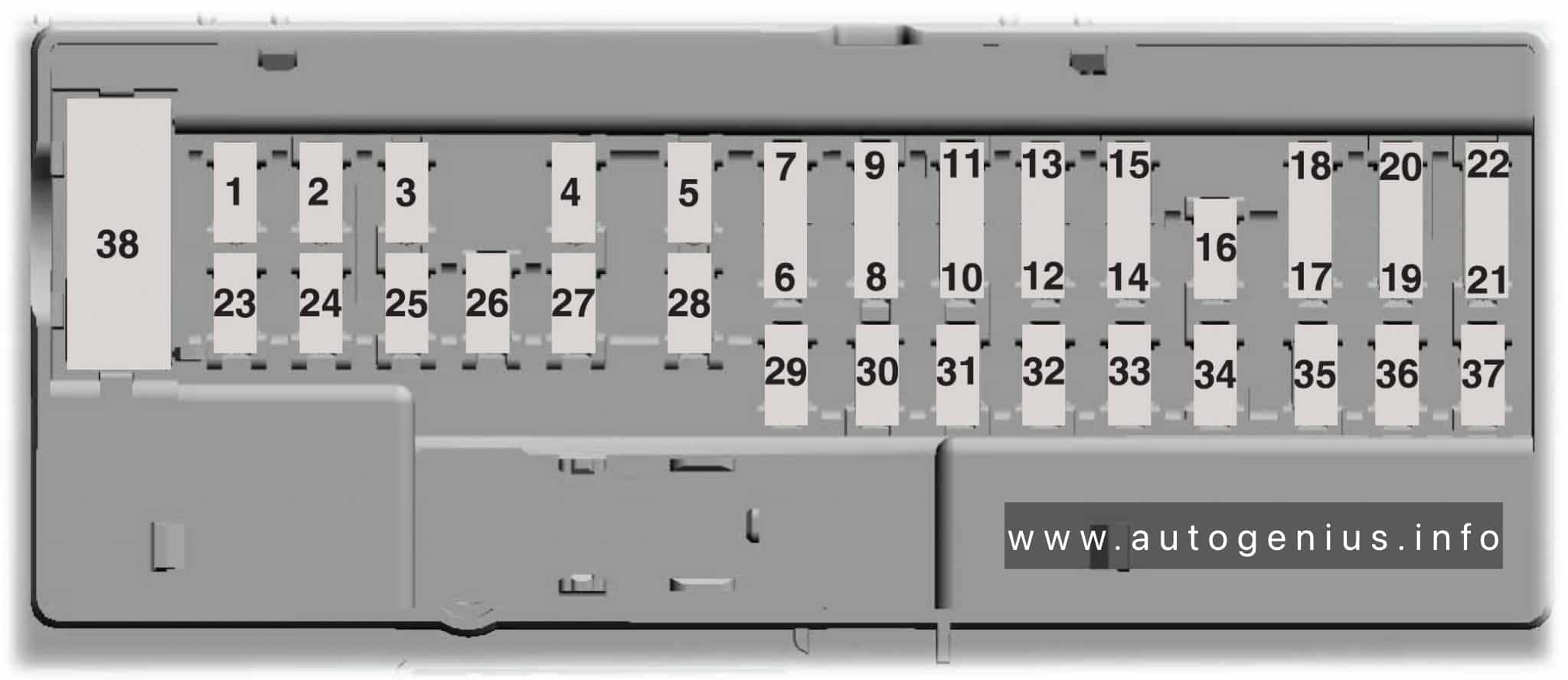
Fuses are a frequent culprit in older models from 2011 to 2022. A blown fuse can kill all outlet power without any warning signs.
Find Key Fuses in Junction Boxes
Check two locations for essential fuses. The under-hood fuse panel sits near the battery. The Smart Junction Box (SJB) is located in the passenger kick panel. Refer to your owner’s manual diagram for exact fuse positions. Critical fuses include Fuse 35 or 36 at 60A for direct inverter power, Fuse 113 at 7.5A for 110V circuit control, and Fuse 54 located behind the battery often labeled 110V Outlet.
Test, Don’t Trust Appearance
A fuse can look intact but still be blown. Use a multimeter or fuse tester to check continuity. Set the multimeter to ohms. A reading near 0 means the fuse is good. If open, replace it with the exact same amperage and type. Never substitute with a different rating.
Check for Loose Wiring
Inspect connections at the inverter, located under rear cab or bed, and at the outlets. Look for corroded terminals, frayed wires, or loose plugs. Gently wiggle connectors. If the outlet flickers, you’ve found a bad connection. Apply dielectric grease to prevent future corrosion.
Diagnose LED Indicator Patterns
The LED indicator in your 110V outlet provides critical diagnostic information. Understanding what the lights mean saves time on troubleshooting.
Solid or Flashing Orange Light
An orange or amber LED indicates status. Solid means the outlet is live and ready. Flashing indicates the inverter is in fault mode. Three quick flashes, then off means overload detected, over 400W or 3A. If flashing, unplug all devices, turn off the engine, wait 30 seconds, then restart and retest.
No Light at All
If the LED is completely off, the inverter isn’t receiving power or signal. This points to a blown fuse, tripped breaker, failed inverter, or disconnected wiring. On Pro Power models, also confirm the setting is enabled. No light often means software is off.
Blue Light in Bed Outlet
On 2021 and newer models, the bed outlet has a blue LED. If it’s off while the cab outlet works, the issue is isolated to the bed circuit. If both are dead, the problem is upstream, likely at the inverter, fuse, or Pro Power setting.
Address Overheating Issues
Some 2021-2023 F-150s shut down after 2-3 minutes of use, especially in hot weather. This is inverter thermal protection kicking in.
Test in Cool Conditions
Test your outlet at night or in a garage. If it works longer when cool, overheating is the cause. Ambient temperature significantly affects inverter performance.
Reduce Load and Runtime
Avoid running high-draw devices like microwaves or air compressors for more than 10-15 minutes. Let the inverter cool for 20 minutes between heavy uses. Keep the area under the cab free of debris to improve airflow.
Listen for Fan Noise
The inverter has a cooling fan. When powered, you should hear a faint hum. No sound may indicate internal failure or power loss. If the fan runs but the outlet still fails, the inverter may need replacement.
Replace Faulty Bed Outlet Harness
Ford issued Technical Service Bulletin 2273 for 2022-2024 F-150s with intermittent or complete 110V failure. The root cause is a defective bed outlet wiring harness.
Know TSB 2273 Applies
Failure in this one component can disable all 110V outlets, even the cab one. This is a known defect covered under warranty for eligible vehicles.
Identify Intermittent Failure
Symptoms include outlets that work after restart then cut out, both cab and bed outlets failing together, and the issue worsening with vibration or bumps. If this matches your experience, especially in a 2024 model, pursue TSB-based repair.
Visit Dealer for Warranty Fix
Contact your Ford dealer with your VIN to check TSB eligibility. Most repairs are covered under warranty. The fix replaces the bed outlet and wiring harness. Some owners report same-day service, while others faced part delays.
Follow Correct Startup Sequence
Plugging in a device before starting the engine can prevent the inverter from initializing properly.
Unplug Before Starting
The system may interpret a pre-plugged device as an overload and shut down. To avoid this, start the engine, wait 5-10 seconds, enable Pro Power if applicable, then plug in your device. This simple change fixes many no power complaints.
Avoid Inrush Current Issues
Some devices like refrigerators or power tools draw a surge of power at startup called inrush current. Even if rated under 400W, they can trip the F-150’s protection. Use devices with soft-start circuits or plug them in after the inverter is live.
Test Device Compatibility
The F-150 inverter outputs modified sine wave, not pure sine wave. This affects what devices will work.
Use Low-Wattage Devices First
Start troubleshooting with a phone charger, laptop, or LED light. These draw under 100W and confirm basic function. If they work, the outlet is live. If high-wattage devices fail, the issue is likely load-related, not outlet failure.
Check for Pure Sine Wave Needs
Some sensitive electronics like medical devices or laser printers may not work or may overheat on modified sine wave power. If your device requires pure sine wave, use a standalone pure sine inverter instead.
Avoid Daisy-Chaining
Never plug a power strip or surge protector into the 110V outlet. This increases fire risk and can trigger overload protection. Plug devices in one at a time.
Prevent Future Failures
Regular maintenance prevents most outlet failures from recurring.
Apply Dielectric Grease
Moisture and corrosion are major causes of intermittent failure. Apply dielectric grease to all electrical connections including outlet terminals, inverter plugs, and fuse box contacts. This seals out water and prevents oxidation.
Update SYNC Software
Ford occasionally releases SYNC updates that fix inverter control bugs. Connect to Wi-Fi or use Ford+Alexa to check for updates. A simple software patch can resolve glitchy behavior.
Inspect Tailgate and Bed Outlets
Check the rubber gasket around the bed outlet. If cracked or missing, water can enter and damage wiring. Replace if damaged. After use, cover the outlet with a weather cap.
When to See a Dealer
Some issues require professional diagnosis and warranty repair.
Persistent Intermittent Failure
If outlets work sometimes but cut out randomly, document it with video. Show the infotainment screen, LED behavior, and device test. Restart the truck right before the dealer test drive. This increases chances of reproducing the issue during the visit.
Request TSB Inspection
For 2022-2024 models, insist on checking TSB 2273. Say you believe your bed outlet harness is failing per TSB 2273. This speeds up diagnosis and ensures proper repair.
Consider Standalone Inverter
If you frequently use power tools or campers, a hardwired standalone inverter may be a better long-term solution. It bypasses the factory system and offers more reliability for heavy users.
Key Takeaways for Fixing Your F-150 110V Outlet
Most F-150 110V outlet not working issues are not hardware failures. Start with Pro Power settings, reset the breaker, check fuses, and test with a low-wattage device. For 2022-2024 models, a faulty bed outlet harness under TSB 2273 is the likely culprit. By following this guide, you can fix the problem quickly or walk into the dealership with the exact knowledge to get it repaired under warranty. Always test with a known-working device before assuming the outlet is dead, and document any intermittent behavior with video for dealer visits.
Frequently Asked Questions About F-150 110V Outlet Not Working
Why does my F-150 110V outlet have no power even with the engine running?
The most common cause is Pro Power Onboard being turned off. On 2021-2024 models, this software setting must be enabled in the SYNC infotainment system. Go to Features, select Pro Power, and turn it on. This resolves over 60% of reported cases.
How do I reset the circuit breaker on my F-150?
Locate the reset button on the right side of the instrument panel, below the glove box. Open the small flip-up cover and press the red or black button firmly until it clicks. This resets the breaker that protects the 110V system.
What does TSB 2273 cover for F-150 110V outlets?
TSB 2273 covers 2022-2024 F-150s with intermittent or complete 110V failure caused by a defective bed outlet wiring harness. Ford will replace the bed outlet and wiring harness under warranty if the vehicle is eligible.
Why does my 110V outlet only work for a few minutes?
This is likely inverter overheating. The inverter has thermal protection that shuts it down when it gets too hot. Test in cooler conditions, reduce load, and avoid running high-wattage devices for extended periods.
What LED colors indicate the 110V outlet is working?
A solid orange or green light means the outlet is live and ready. Flashing orange indicates a fault or overload. Three quick flashes then off means overload over 400W or 3A. No light means no power is reaching the inverter.
Can I use any device in my F-150 110V outlet?
The F-150 inverter outputs modified sine wave, not pure sine wave. Use low-wattage devices first like phone chargers or LED lights. Some sensitive electronics like medical devices or laser printers may not work properly. Avoid daisy-chaining power strips.


