
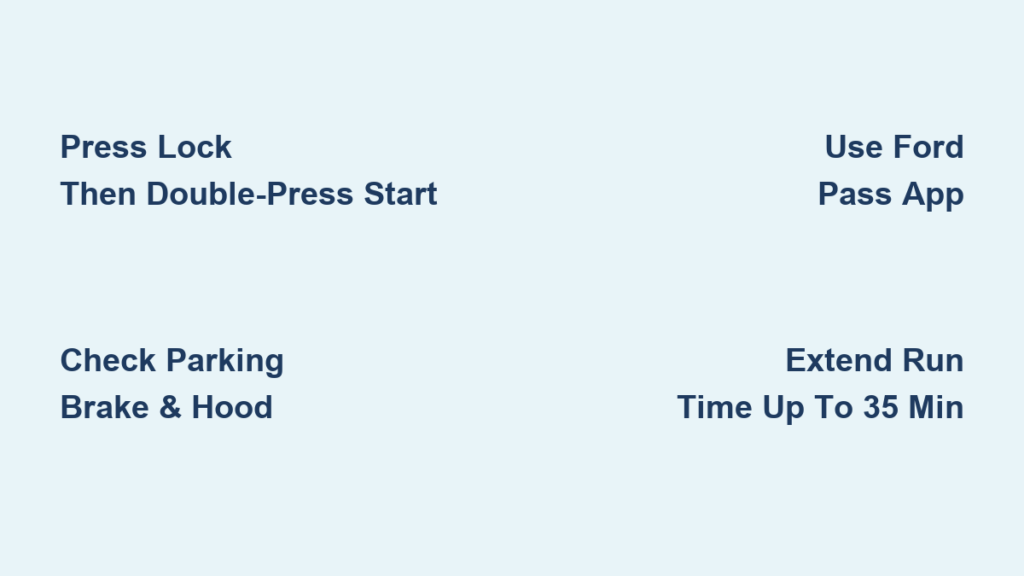
Imagine stepping out into a freezing winter morning or a scorching summer afternoon only to find your Ford F-350 cabin already at the perfect temperature. You can achieve this comfort instantly by learning how to remote start Ford F-350 trucks using either your key fob or the Ford Pass app.
This guide details the exact button sequences, app steps, and configuration settings you need to master. You will learn to extend run times, troubleshoot common failures, and customize climate controls for maximum efficiency.
Execute Remote Start with Your Key Fob

The primary method for starting your Super Duty involves a specific sequence on your factory key fob. This process works reliably when you follow the timing precisely.
Press Lock Then Double-Press Start Button
- Ensure the vehicle is off, all doors are closed, and the transmission is in Park.
- Press the Lock button once to arm the system.
- Immediately press the Remote Start button (circular arrow icon) two times.
Do not hold the buttons down during this process. Just two quick presses after locking will initiate the engine.
Pro Tip: Point the key fob toward the front of the truck to ensure the best signal transmission range.
Identify Confirmation Signals
Your truck provides immediate feedback to confirm a successful start command. Watch for these specific indicators:
- Exterior lights will flash twice.
- The horn chirps once if Quiet Start mode is disabled.
- The engine starts automatically without further input.
If the lights flash but the engine does not start, check the failure conditions listed in the troubleshooting section below.
Critical Note: The parking brake must be engaged and the hood must be fully closed. These are hard safety locks on Super Duty models.
Stop Engine Remotely with Single Press
You can shut down the engine from a distance if your plans change.
- Press the Remote Start button once.
- The parking lamps will turn off to confirm shutdown.
Range Tip: You may need to stand closer to the truck to stop it than to start it. Engine noise and ground interference can weaken the stop signal.
Use Ford Pass App for Smartphone Control
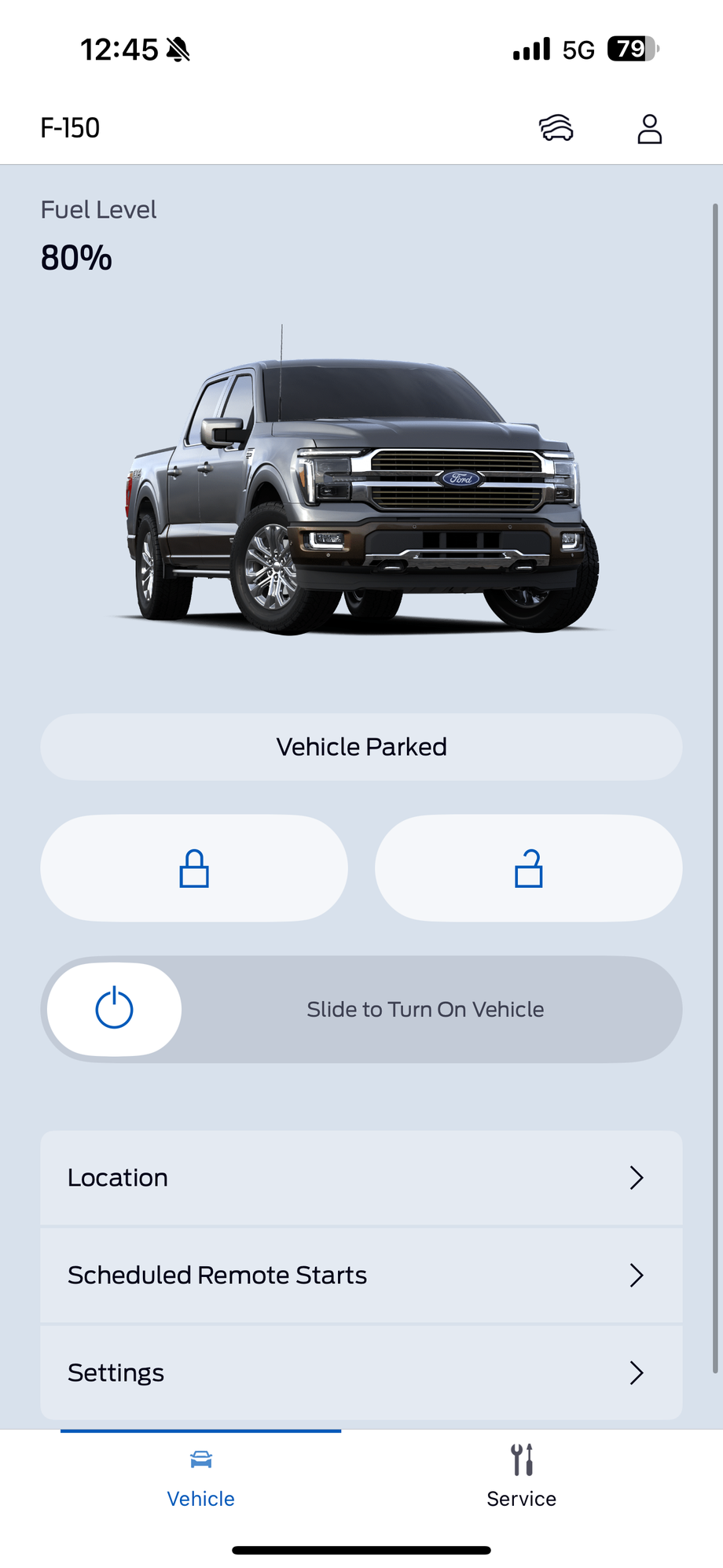
Owners of 2018 and newer models can bypass the key fob entirely. The Ford Pass app allows you to control your truck from virtually anywhere with cellular service.
Launch App and Authenticate Vehicle
- Open the Ford Pass app on your smartphone.
- Sign in to your registered account.
- Select your F-350 from the main dashboard.
Requirement: Your vehicle must be linked and remote features activated during the initial setup process.
Tap Remote Start Button
- Tap the Remote Start icon (usually a car with a circular arrow).
- Confirm the action if the app prompts you.
The interface will display a countdown timer and show “Engine Running” once the command succeeds.
Connectivity Note: A valid cellular connection and active FordPass Connect subscription are required. Some trims include a trial period before requiring a paid plan.
Understand App Limitations
While convenient, the app has specific functional boundaries compared to the key fob.
- No remote window control is available via the app.
- Remote stop is available with a single tap.
- Geofencing alerts can notify you if the truck starts outside expected locations.
Strategic Use: Use the app when you are too far for the key fob signal. This is especially useful when starting your truck from inside your home or office.
Configure Remote Start Settings in Menu

Customize how your F-350 behaves during remote start through the instrument cluster information display.
Access Vehicle Settings Menu
- Turn the ignition to ON without starting the engine.
- Navigate to Information Display > Vehicle Settings > Remote Start.
From this menu, you can adjust run time, climate behavior, and seat activation settings.
Select Run Time Duration
Choose how long the engine runs per cycle based on your needs:
- 5 minutes: Best for quick warm-ups.
- 10 minutes: Ideal for moderate temperatures.
- 15 minutes: Recommended for extreme cold or heat.
This setting determines the base cycle. Extensions add full cycles to the remaining time.
Time Logic: With a 10-minute setting and 6 minutes elapsed, an extension adds 10 more minutes for a total of 16 minutes from the original start.
Customize Climate Control Behavior
Select how the HVAC system responds when the engine starts remotely:
- Auto-Adjust: System heats or cools based on outside temperature.
- Last Known Setting: Repeats the last manual setting including fan speed and mode.
Winter Hack: Set to Auto-Adjust with heated seats enabled for the fastest cabin warming results.
Enable Quiet Start Mode
This feature is ideal for early mornings or residential areas where noise is a concern.
- Horn confirmation is silenced completely.
- Blower fan starts at a lower speed to reduce noise.
Silent Operation: You will rely on light flashes for feedback since there is no audible cue.
Activate Heated and Ventilated Seats
If your truck is equipped with this feature, you can turn on seat warming or cooling to begin during remote start.
- Go to Remote Start > Seat Activation.
- Toggle On for driver and passenger seats.
Seats will activate based on outside temperature. Heat engages in cold weather while ventilation activates in heat.
Memory Bonus: If memory seats are linked to your key fob, they will adjust automatically when you open the door.
Extend Remote Start Time Limits
You can extend the run time beyond the initial cycle up to a maximum limit. This is useful for extreme weather conditions.
Restart While Engine Is Running
Perform this sequence while the truck is still running from the initial start:
- Press Lock once.
- Press Remote Start button twice.
The system will accept the extension if you are within the total time limit.
Maximum Runtime: 35 minutes total. This equals roughly three 15-minute cycles with overlap.
Wait Time: Wait at least 5 seconds after shutdown before attempting to restart.
Benefits of Extending Runtime
Extending the cycle provides significant advantages in harsh conditions.
- Preheats engine oil longer in arctic conditions.
- Fully defrosts windshield in winter before you arrive.
- Cools cabin thoroughly before summer drives.
Smart Strategy: Start early, then extend once you are ready to leave. This maximizes comfort without wasting excessive fuel.
Use Remote Window Ventilation Feature

Ventilate the cabin remotely to dump hot air. This is especially useful in summer months.
Roll Down Windows Remotely
- Lock the vehicle first.
- Double-press the Unlock button.
- On the second press, hold it down until windows begin to lower.
All windows will drop gradually to ventilate the interior.
Limitation: Windows only roll down. You cannot close them remotely with this method.
Close Windows Before Entry
To raise the windows, you must take manual action.
- Use the key fob Unlock button sequence again or
- Press the window switch inside the vehicle after entry.
Security Note: Never leave windows down unattended. Always close them before walking away from the truck.
Transition from Remote Start to Drive
Once inside the vehicle, you must follow the correct procedure to drive away.
For Push-Button Start Models
- Enter the vehicle while the engine is running.
- Press the brake pedal firmly.
- Press the Start/Stop button once.
The system recognizes the intelligent access key and remains running.
No Restart Needed: The engine continues running so you can just drive.
For Traditional Key Models
- Insert the key fob into the ignition slot.
- Turn to the ON/RUN position.
The engine continues running and you can proceed to drive immediately.
Difference: Push-button models require a button press while key models do not.
Troubleshoot Failed Remote Starts

Remote start will not work if specific safety or system conditions are not met.
Common Failure Reasons
Check these items if your start command fails:
- Transmission not in Park (P)
- Parking brake not engaged (F-350 specific)
- Hood is open
- Low fuel level
- “Service Engine Soon” light is on
- Low vehicle battery voltage
- Key fob battery dead or weak
- Remote start disabled in menu
Safety First: These blocks prevent accidents or damage. Address the root cause before retrying.
Fix Key Fob Issues
If the fob is not responding, try these diagnostic steps:
- Replace the CR2032 battery. Low power reduces range significantly.
- Try closer to the truck. Stay within 20 feet for testing.
- Check LED feedback. Blinking red means command failed while solid green means success.
Reset Tip: Remove the fob battery for 30 seconds then reinsert to reset the internal logic.
Follow Safety and Legal Guidelines
Using remote start responsibly keeps you compliant with laws and safe from harm.
Never Use Indoors
- Never remote start in a garage or enclosed space.
- Risk of carbon monoxide poisoning is extremely high.
Ventilation Rule: Always park outside with doors and windows clear of obstructions.
Check Local Laws
Some states and provinces limit idling time strictly.
- California: 5-minute limit in most areas.
- Colorado, New York, Ontario: Anti-idling laws apply.
Compliance: Verify local rules. Some remote start systems auto-shut off to comply with these regulations.
Monitor Fuel Level Warning
Avoid remote start if fuel is below ¼ tank.
- Prevents accidental fuel depletion during extended cycles.
- System may block start if fuel is critically low.
Refuel First: Fill up before using remote start in cold weather to avoid being stranded.
Maximize System Longevity
Keep your remote start system reliable with simple maintenance habits.
Replace Key Fob Battery Annually
- Use a CR2032 battery common in most Ford fobs.
- Test range every few months.
Battery Health: Weak batteries cause inconsistent starts and failed extensions.
Monitor Vehicle Health
The remote start system checks vehicle status before every start.
- If “Check Engine” or “Service Engine Soon” is on, remote start disables.
- Low 12V battery voltage triggers failure.
Diagnostic Tool: Fix underlying issues first. Remote start acts as an early warning system for vehicle health.
Frequently Asked Questions About Remote Starting Ford F-350
How long can I keep my Ford F-350 running remotely?
The vehicle runs for a preset cycle of 5, 10, or 15 minutes. You can extend this up to a maximum total of 35 minutes by repeating the start sequence.
Why does my remote start fail immediately?
Common causes include an open hood, transmission not in Park, disengaged parking brake, or low fuel. The “Service Engine Soon” light will also disable the feature.
Can I roll my windows up remotely on an F-350?
No. The remote window feature only allows you to roll windows down by holding the unlock button. You must close them manually from inside or with the key.
Does the Ford Pass app work on all F-350 models?
Ford Pass remote start is available on 2018 and newer models equipped with FordPass Connect. Older models rely solely on the key fob transmitter.
What happens if I enter the truck while it is remote started?
The engine remains running. You must press the brake and hit the start button (or turn the key) to transition to drive mode.
Key Takeaways for Mastering How to Remote Start Ford F-350
Learning how to remote start Ford F-350 trucks adds significant comfort to your daily routine. Remember that the key sequence is Lock followed by two presses of the Remote Start button. You can extend run times up to 35 minutes and customize climate settings for optimal efficiency.
Always ensure your parking brake is engaged and your hood is closed before attempting a start. Maintain your key fob battery and respect local idling laws to keep the system functioning perfectly. Start using these features today to enjoy a pre-conditioned cabin every time you drive.


