

You are stopped at a red light and try to switch your F350 to Tow/Haul mode when the screen suddenly flashes “Drive Mode Not Available.” This frustrating glitch often disappears after a quick restart but can return without warning during critical moments. Many Super Duty owners face this intermittent issue with no clear cause or consistent trigger pattern.
This guide explains why your F350 displays this error and how to fix it permanently using proven methods. You will learn specific steps to inspect connectors, perform hard resets, and check for hidden software conflicts affecting your truck. We cover real-world solutions ranging from simple reboots to detailed electrical diagnostics.
Why Your F350 Shows Drive Mode Not Available
The drive mode system in your F350 requires perfect communication between the transmission control module and the body control module. When these computers fail to handshake correctly during a selection attempt, the system blocks the change as a safety measure. This issue is often intermittent, making it difficult for dealers to replicate or diagnose without active monitoring.
Common triggers include electrical noise, temporary software freezes, or moisture affecting sensitive connectors. The problem frequently appears after long towing sessions or during extreme weather conditions. Understanding these triggers helps you isolate the root cause before parts replacement becomes necessary.
Software Glitch or Module Conflict
Many drivers report that the error vanishes immediately after turning the truck off and on again. This behavior strongly suggests a temporary software conflict or a failed communication attempt between control units. Modern trucks run complex software stacks that can occasionally freeze during non-critical function requests.
- The issue often surfaces after extended periods of driving or heavy towing loads.
- It may appear alongside other warnings like “Cruise Control Not Available.”
- Standard scans often show no diagnostic trouble codes despite the functional failure.
Verify Open Recalls for Electrical Issues
Towing Light Harness Recall Link
One specific recall involves the towing light harness and has been linked to resolving this exact error message. Although it seems unrelated to drive modes, this recall addresses potential electrical shorts that disrupt the entire CAN bus network. Voltage spikes from faulty wiring can confuse control modules and disable various features.
- Affected Models: 2020–2023 F250 and F350 Super Duty trucks.
- Primary Risk: Voltage spikes causing communication errors across modules.
- Common Symptoms: Erratic drive mode behavior, cruise control failure, and false trailer faults.
Action Step: Verify your recall status using your VIN at the official Ford owner website. If you have not completed this free repair, schedule an appointment with your local dealer immediately.
Inspect Transmission Connector for Moisture

Moisture or Loose Wiring at TCM
Experienced owners frequently recommend inspecting the main transmission connector as a primary troubleshooting step. This electrical plug sits on the side of the transmission and links the control module to gear operation logic. Vibration, road debris, and moisture can degrade this connection over time.
Corrosion or loose pins inside this connector cause intermittent signal loss. When the signal flickers, the system assumes a transmission fault and blocks drive mode changes to protect the drivetrain.
How to Check the Connector
- Park on level ground and engage the parking brake securely.
- Locate the TCM connector on the driver side of the transmission.
- Carefully disconnect the harness from the transmission body.
- Inspect the pins for green corrosion, bending, or moisture intrusion.
- Clean the contacts with electrical contact cleaner and dry thoroughly.
- Reconnect the harness firmly until the locking clip snaps into place.
Pro Tip: Apply a thin layer of dielectric grease to the connector before reassembly to prevent future moisture buildup.
If you find damaged pins or severe corrosion, consider replacing the harness or adding a weatherproof cover for extra protection.
Perform a Hard Reset on F350 Electronics

Battery Disconnect Procedure
A hard reset clears temporary memory from all vehicle modules and often resolves stuck software states. This process forces the computers to reinitialize their communication paths from scratch. It is the most effective first step for glitches occurring after towing or electrical disturbances.
Steps to Reset F350 Electronics
- Turn off the ignition and remove the key from the vehicle.
- Open the hood and locate the fuse box near the battery.
- Remove the negative battery ground cable from the black terminal.
- Wait at least 15 minutes to ensure all capacitors fully discharge.
- Reconnect the cable and tighten the terminal securely.
- Start the engine and let it idle for two minutes before driving.
Use FORScan for Deep Diagnostics

Identify Hidden Module Errors
Standard OBD2 scanners often miss soft faults that cause intermittent issues. FORScan is an advanced diagnostic tool capable of reading live data and hidden codes across all Ford modules. This tool can reveal communication timeouts or voltage irregularities that generic scanners ignore.
What FORScan Can Reveal
- Pending errors in the transmission or body control modules.
- Communication timeouts on the CAN bus network.
- Voltage irregularities in sensor circuits affecting mode selection.
- Real-time status of drive mode enable or disable conditions.
You will need a compatible ELM327 adapter and the FORScan application to access these features. Run a full module scan while the error is active to catch momentary dropouts in the four-wheel-drive module.
Expert Note: Some users discovered faulty rear solenoid packs caused module confusion that was only detected through extended data logging.
Test Drive Mode While Towing
Is Load Triggering the Fault?
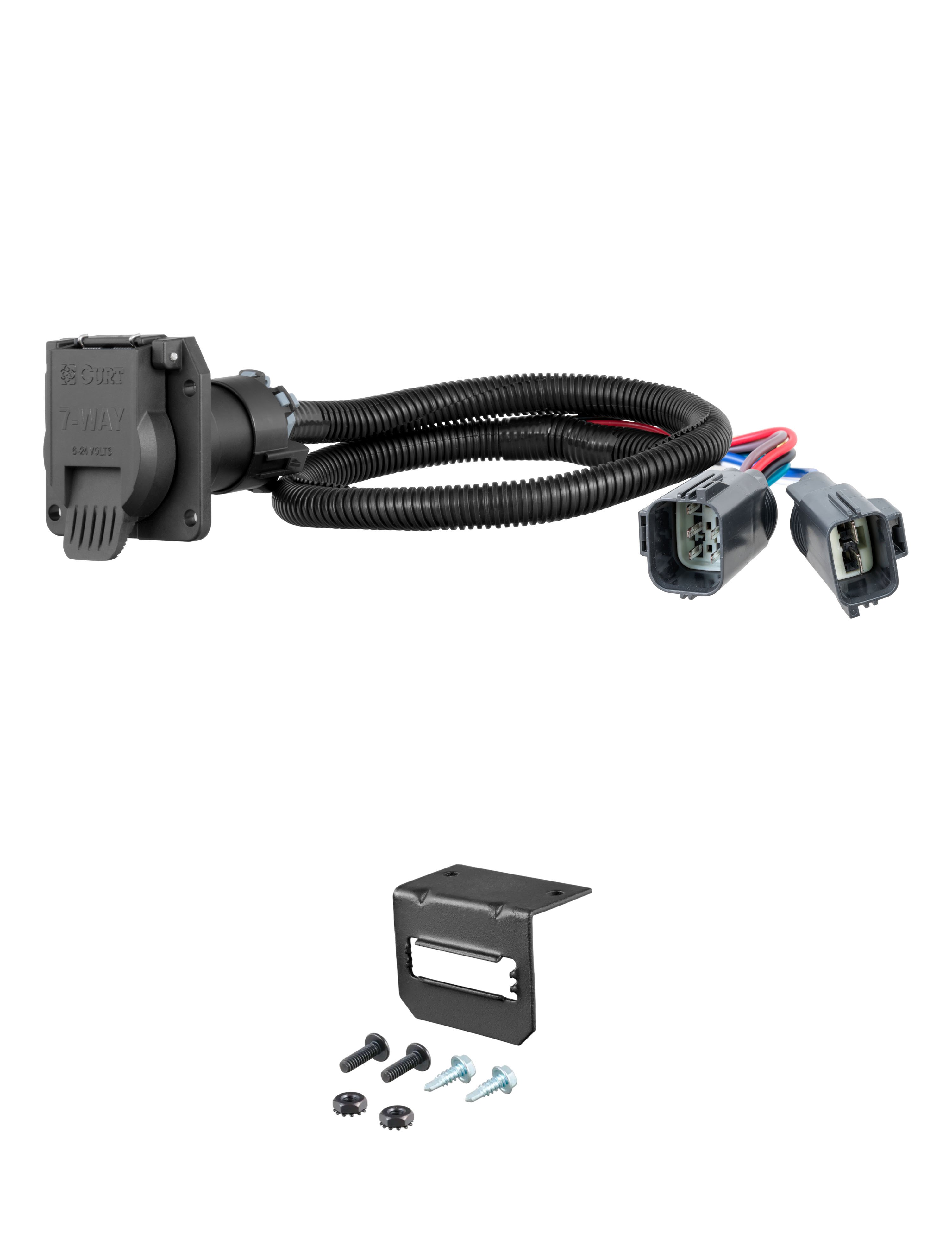
Several reports tie the “Drive Mode Not Available” error directly to towing activities. The added electrical load and constant vibration from a trailer can expose weak connections or marginal components. If the error only happens when pulling a load, focus your diagnostics on the rear of the vehicle.
Signs It’s Towing-Related
- The error appears only after 30 minutes of continuous towing.
- Warnings accompany trailer brake or lighting system faults.
- The system only resets after a full cooldown period and restart.
Check your trailer wiring harness for frayed wires and ensure ground connections at the hitch are clean. A poor trailer ground can backfeed noise into the truck network and disrupt module communication.
Monitor Cruise Control Status
Does Active Cruise Block Mode Changes?
Some users theorize that active cruise control settings might prevent drive mode switching. While Ford has not confirmed this, the logic holds that the powertrain prioritizes stability when speed control is engaged. Switching modes during active cruise could theoretically risk driveline shock or unexpected behavior.
However, original reports indicate the error occurs even when cruise is set but inactive. The system should allow mode changes when the vehicle is stationary regardless of cruise settings.
- Cancel cruise control completely before attempting to switch modes.
- Wait five seconds after coming to a complete stop.
- Try the selector button again to see if the error persists.
Prevent Future Failures
Maintenance Tips to Avoid Recurrence
Proactive maintenance reduces the risk of electrical glitches returning unexpectedly. Even if the issue seems random, keeping your system updated and clean helps ensure reliable operation. Regular checks can catch small problems before they become major failures.
Keep Software Updated
Ford regularly releases Powertrain Control Module updates to improve module coordination. Visit your dealer annually to check for PCM recalibrations and firmware upgrades. These updates often address known communication bugs reported by other owners.
Clean Ground Connections
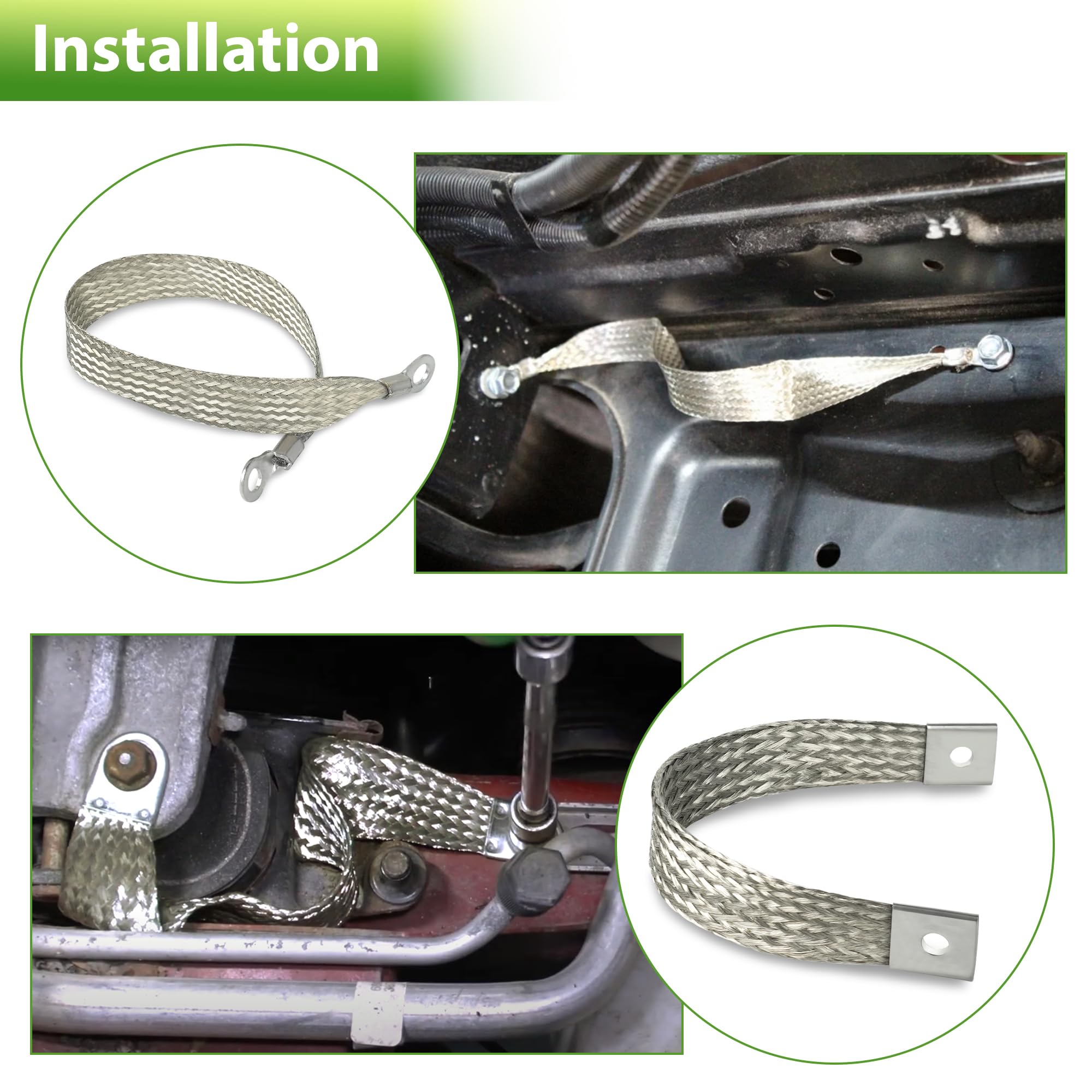
Poor grounding is a common cause of electrical system failures in heavy-duty trucks. Check and clean the engine-to-frame ground strap and battery-to-chassis ground points. Use a wire brush to remove corrosion and apply anti-corrosion spray for long-term protection.
Avoid Rapid Mode Cycling
Switching drive modes too quickly can overwhelm the system software. Wait five to ten seconds between selections to let the system confirm each change. This simple habit prevents software contention and potential lockouts.
When to Visit the Dealer
Escalating the Repair Process
Professional intervention becomes necessary if the problem persists after resets and inspections. Dealers have access to specialized tools and technical service bulletins that may not be public knowledge. Documenting your troubleshooting steps helps technicians diagnose the issue faster.
What to Demand at the Dealership
- A full module health scan beyond standard diagnostic trouble codes.
- A dedicated CAN bus communication test.
- Verification of TCM and BCM firmware versions.
- A road test with live data monitoring to replicate the fault.
Bring printouts of forum threads or FORScan logs to show the technician. Push for a check against Technical Service Bulletins even if no active recall exists.
Frequently Asked Questions About Drive Mode Not Available F350
Can low battery voltage cause drive mode errors?
Yes, low voltage can prevent modules from communicating properly. Weak batteries often cause intermittent electrical glitches in modern trucks. Ensure your battery terminals are clean and the battery holds a full charge.
Does this error affect transmission safety?
The error prevents mode selection but does not typically compromise immediate driving safety. The truck remains in its current mode until the issue resolves. However, you should fix the root cause to ensure proper towing performance.
Will disconnecting the battery permanently fix the glitch?
A battery disconnect often clears the temporary error but may not fix underlying hardware issues. If the problem returns frequently, you likely have a corroded connector or software bug needing attention.
Is this a common problem on 2022 F350 models?
Yes, many 2020-2023 Super Duty owners report this intermittent issue. It appears across various trim levels including Lariat and Tremor packages. Most cases resolve with software updates or connector cleaning.
Can I drive my truck while this message is displayed?
You can drive the truck safely in its current mode. The message only prevents switching to other modes like Tow/Haul or Sport. Avoid heavy towing until you diagnose the underlying cause.
Key Takeaways for Fixing Drive Mode Not Available F350
The “Drive Mode Not Available” error on your F350 usually stems from communication glitches between control modules. Start by verifying all open recalls and performing a hard reset by disconnecting the battery. Inspect the transmission connector for moisture and use FORScan to identify hidden electrical faults.
Do not ignore recurring instances of this error as they can worsen over time. Take action today by checking your recall status and cleaning your electrical connections. Your truck deserves reliable performance for every mile you haul.


