
A flashing anti-theft light on your 2008 Ford F250 can stop you in your tracks, especially when the engine refuses to crank. Many owners assume the problem is a bad key or ignition cylinder, but diagnostic data tells a different story. The flashing PATS (Passive Anti-Theft System) indicator often signals deeper communication failures across critical vehicle modules, not just a simple security lockout. The 5.4L engine variant is particularly prone to this intermittent no-crank condition, which can mysteriously resolve after multiple key cycles only to return later.
In this guide, you will learn how to interpret the 1-1-5 flash code, test critical circuits the right way, perform effective reset procedures, and pinpoint the actual cause of your 2008 F250 anti-theft flashing issue.
Decode the 1-1-5 Flash Pattern

What the 1-1-5 Code Means
When the anti-theft light on your 2008 F250 flashes in a 1-1-5 pattern, it points directly to a trailer brake module communication failure. This specific flash sequence is Ford’s built-in diagnostic clue indicating that the Powertrain Control Module (PCM) has lost contact with the Trailer Brake Module (TBM). Ignoring this code can lead you to replace perfectly good keys, ignition cylinders, or even fuel pumps.
The loss of communication triggers PATS as a safety measure, preventing engine start even when your key is valid. This explains why your truck may crank one day and fail the next, since intermittent wiring issues can temporarily restore the signal.
Link Between TBM and No-Crank
A U0137 diagnostic trouble code, labeled “Lost Communication with Trailer Brake Module,” often accompanies the 1-1-5 flash. Even if you never tow trailers, the TBM remains active in your vehicle’s network. If it is unplugged, damaged, or suffering from poor wiring, the PCM logs the fault and activates PATS protection.
Pro Tip: Always scan for U-codes before assuming the key or ignition lock is faulty. A U0137 code strongly suggests the real issue lies in the brake module circuit or its connectivity.
Check for Trailer Brake Module Fault Message
Look for a “Trailer Brake Module Fault” warning on the instrument cluster when turning the key to “On.” This message confirms the TBM communication loss and supports the 1-1-5 flash diagnosis.
If the module was recently disconnected during trailer wiring work, simply reconnecting it and clearing the code may resolve everything. However, if the fault returns, inspect the module’s power, ground, and CAN bus wiring.
Test Critical Circuits Properly
Verify BPT Voltage, Not Resistance
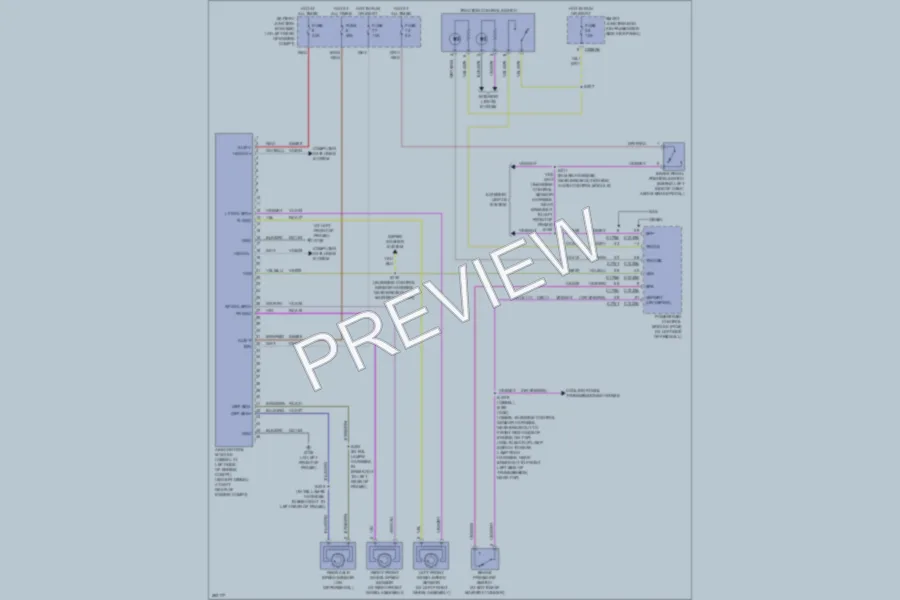
A common misdiagnosis involves testing the Brake Pressure Transducer (BPT) with an ohmmeter. The BPT is not a resistive sensor, so measuring resistance between pins 4, 5, and 6 on the trailer brake controller yields meaningless data.
Correct Testing Method:
• Set your multimeter to DC voltage
• Measure between BPT+ and BPT-: Should read approximately 5V (reference voltage from PCM)
• Measure between BPT- and BPT Signal: Should read approximately 0.5V at rest
• Press the brake pedal: Voltage should increase smoothly up to approximately 4.5V
If reference voltage is missing, check fuses, the PCM signal, and wiring integrity. Swapped or pinched wires in the BPT circuit can also trigger U0100 (lost TCM communication) and confuse your diagnostics.
Inspect Parking Brake Pedal Connector

One of the most vulnerable points in the 2008 F250’s electrical system is the large multi-pin connector mounted above the parking brake pedal. Constant vibration from releasing the brake can loosen pins or damage wires, leading to intermittent communication drops.
Visual and Physical Inspection Steps:
• Turn off the ignition and disconnect the battery
• Locate the connector behind the dash, near the brake pedal arm
• Unplug it carefully and inspect for corrosion, moisture, bent pins, or cracked housing
• Reconnect firmly and secure with zip ties to reduce movement
Many owners report immediate improvement after cleaning and reseating this connector.
Confirm Instrument Cluster Wiring
The instrument cluster acts as a central hub for multiple systems, including fuel level input, airbag status, and PATS feedback. A failing cluster or its wiring can mimic multiple independent failures.
Key red flags include:
• Erratic fuel gauge readings
• Airbag warning light illuminated
• Intermittent no-crank with flashing PATS light
In some 2008 F250s, the fuel sender uses a 4-wire connector (Red, White, Black, Blue) instead of the expected 7-wire setup. Verify your configuration matches actual wiring, not generic diagrams. Since the fuel sender signal routes through the cluster, a bad connection here can trigger both P0463 and B1204 codes even if the sender itself tests fine.
Run Effective Reset Procedures
Perform Ignition Key Reset (10–15 Minutes)
When the anti-theft light is flashing, try the key-in-run reset before diving into electrical tests.
Steps:
1. Insert a known-good programmed key into the ignition
2. Turn the key to the “On” position without starting
3. Leave it for 10 to 15 minutes to let the PATS module attempt re-authentication
4. Turn the key off, wait 5 seconds, then try to start
Success is indicated when the anti-theft light stops flashing or remains solid. Note that this fix may be temporary if underlying wiring or module issues persist.
Try Door Lock Reset Technique
Use the driver’s side door lock cylinder to send a mechanical override signal.
Steps:
1. Insert the physical key into the driver’s door lock
2. Turn and hold in the “Unlock” position for 20 to 30 seconds
3. Release, then open the door and attempt to start
This action tells the body control module that an authorized key is present, potentially bypassing a false PATS lockout caused by a weak transponder signal or communication glitch.
Execute Battery Disconnect Reset
A full system reset can clear corrupted module memory and reinitialize communication.
Steps:
1. Disconnect the negative battery terminal
2. Wait at least 15 minutes to ensure capacitors in modules fully discharge
3. Reconnect the terminal securely
4. Turn the key to “On” and wait 30 seconds before starting
This process will reset radio presets and the clock. The PCM may need a short driving cycle to relearn idle and shift points. Only use this method after ruling out hard electrical faults, otherwise the problem will return.
Diagnose Communication Network Failures
Scan for U-Series DTCs
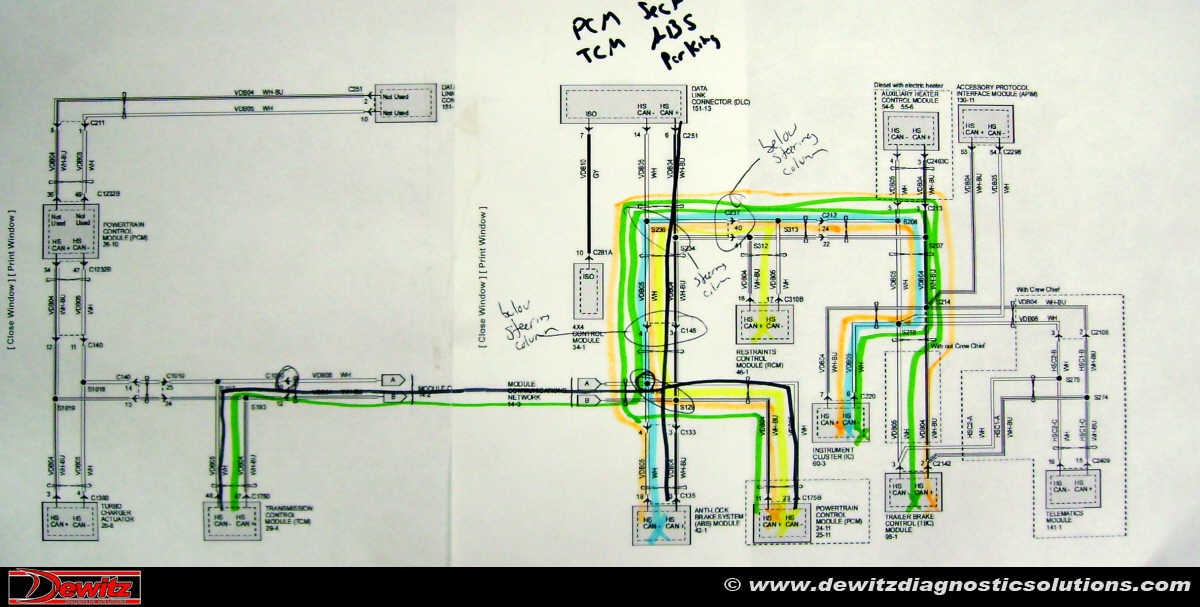
Generic OBD2 scanners often miss critical body and chassis codes. Use a professional-grade scan tool capable of reading all modules.
Look for these lost communication patterns:
• U0100: Lost Communication with TCM
• U0121: Lost Communication with ABS Module
• U0137: Lost Communication with Trailer Brake Module
• U0151: Lost Communication with PCM or RCM
Multiple U-codes suggest a common failure point such as shared power or ground feed, CAN bus wiring damage, or instrument cluster failure.
Validate Power and Ground Distribution
Check common power and ground circuits that feed multiple modules.
Critical Points to Test:
• Battery voltage: Should be approximately 12.33V at rest
• Charging voltage: Approximately 14.4V at idle
• Grounds at G103, G104, and G200 for corrosion or loose bolts
• Fuses F2.17 (PATS), F2.25 (Instrument Cluster), and F2.33 (Trailer Brake)
A weak ground can cause modules to reset intermittently, mimicking PATS lockouts.
Use Correct Wiring Diagrams
Never rely on generic narrow frame diagrams for the 2008 F250. Always use Wide Frame wiring schematics specific to your truck’s configuration. Incorrect diagrams lead to misidentified wire colors, wrong pinouts, and failed continuity tests.
Prevent Recurring Anti-Theft Lockouts
Maintain Spare Key and Fob
Always keep a verified programmed spare key in a safe place.
Key failure signs include:
• Dim or no LED on key fob
• Need to hold key close to ignition to start
• Intermittent PATS activation
Replace the key fob battery every 2 to 3 years or if remote range decreases. A weak transponder signal can prevent proper authentication.
Inspect Connectors Regularly
Schedule connector checks every 6 months, especially if you drive on rough terrain or tow frequently. Focus on the parking brake pedal connector, instrument cluster harness, trailer brake module plug, and fuse box connections. Clean with electrical contact cleaner and apply dielectric grease to prevent corrosion.
Monitor Battery Health
Even with a new battery, voltage sags during cranking can disrupt module communication. Test battery voltage monthly and load-test the battery annually. Low voltage can cause modules to reset mid-cycle, triggering U-codes and PATS activation, especially in cold weather.
Replace Faulty Instrument Cluster

When to Suspect Cluster Failure
Replace the instrument cluster if you notice:
• Multiple warning lights flashing randomly (airbag, brake, fuel)
• Fuel gauge reading full or empty regardless of tank level
• PATS light flashing without cause
• U-codes returning after resets and wiring fixes
The cluster is a known failure point in 2008 F250s due to internal solder joint cracks or circuit board degradation.
How to Replace and Program
Replacement Steps:
1. Disconnect the battery
2. Remove the steering column shroud and cluster trim
3. Unplug cluster connectors and remove mounting screws
4. Install the new or remanufactured unit
Some clusters require PATS reprogramming using Ford IDS or equivalent software. The odometer must be set to match the original mileage. After replacement, perform a key relearn procedure and clear all DTCs.
Frequently Asked Questions About 2008 F250 Anti-Theft Flashing
What does the 1-1-5 flash code mean on a 2008 F250?
The 1-1-5 flash pattern indicates a lost communication between the PCM and the Trailer Brake Module. This triggers PATS protection and prevents the engine from cranking, even with a valid key. A U0137 diagnostic trouble code typically accompanies this flash pattern.
Why does my 2008 F250 anti-theft light flash intermittently?
Intermittent flashing usually points to loose connectors, failing instrument cluster solder joints, or communication network breakdowns. The parking brake pedal connector is a common culprit due to constant vibration exposure.
Can a weak key fob battery cause the anti-theft light to flash?
Yes. A low-voltage key fob battery weakens the transponder signal, preventing proper authentication with the PATS module. Replace the battery every 2 to 3 years or whenever you notice reduced remote range.
How long should I leave the key in the “On” position to reset PATS?
Maintain the key in the “On” position for 10 to 15 minutes. This allows the PATS module time to attempt re-authentication with the PCM. If successful, the anti-theft light will stop flashing or turn off completely.
Will disconnecting the battery reset the anti-theft system?
Yes, disconnecting the negative battery terminal for at least 15 minutes will reset the anti-theft system along with other modules. This clears adaptive memory in the PCM, resets radio presets, and may require a short relearn period for idle and transmission shifting.
Do I need a professional scan tool to diagnose this issue?
A professional-grade scan tool is highly recommended. Generic OBD2 readers often miss critical U-series and B-series codes that identify communication failures and module-specific faults. Without these codes, you risk misdiagnosing the root cause.
Key Takeaways for Resolving Your 2008 F250 Anti-Theft Flashing Issue
The flashing anti-theft light on your 2008 F250 is rarely about theft prevention. It is usually a symptom of electrical network failure, most commonly linked to trailer brake module communication loss, a loose parking brake connector, or instrument cluster degradation. Start by scanning for U-codes, especially U0137, before replacing any keys or ignition components. Test the BPT using voltage measurements, not resistance, and inspect the parking brake pedal connector for damage. If the issue persists after resets and wiring checks, consider the instrument cluster as the central failure point.
Your next step is to perform a full system scan with a professional-grade tool, document all U-codes and B-codes present, and inspect the parking brake connector before attempting any component replacements.


