
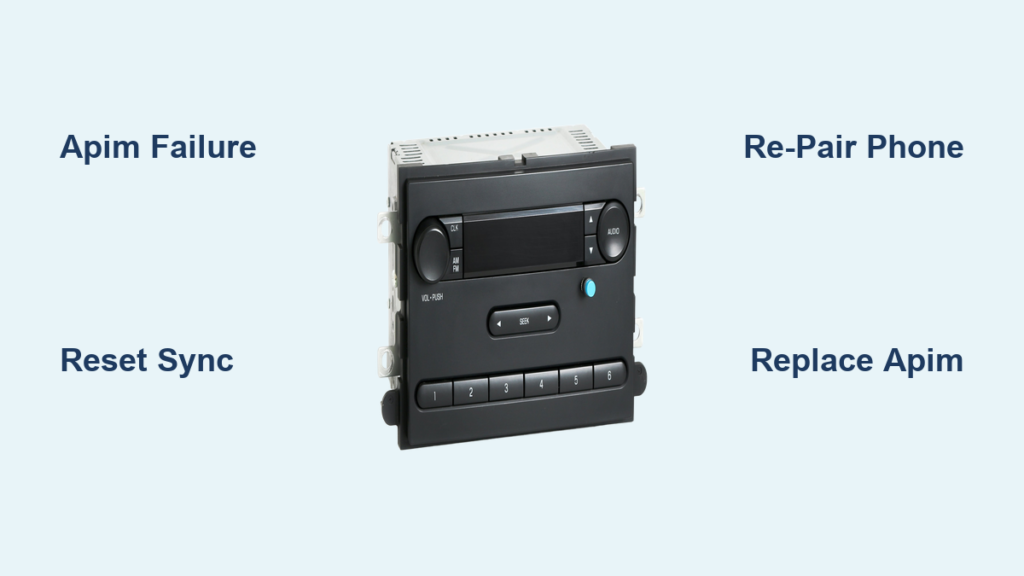
Few things are more frustrating than hopping into your truck, pressing the Voice button, and watching your 2016 F250 Bluetooth not working when you need it most. The system powers on, FM radio plays perfectly, and voice prompts respond. But the moment you try to connect your phone, AUX cable, or USB drive, the screen flashes “Connecting…” for a few seconds, then times out and dumps you back to FM radio. Sometimes the whole interface freezes until you cycle the key.
This is not a random glitch. It is a well-documented hardware failure pattern affecting the APIM (Accessory Protocol Interface Module), the brain inside your SYNC system. The good news is that you can diagnose it accurately and choose from several repair paths. This guide walks you through every step, from quick software resets to permanent hardware fixes, so you can get your hands-free calling and audio streaming back.
Identify the Failure Pattern in Your 2016 F250
Before spending time or money, confirm that your symptoms match the known APIM failure signature. Not every Bluetooth issue points to hardware failure.
Hardware Failure Indicators
Your APIM is likely dying if you experience all of these symptoms:
- System powers on and responds to the Voice button with a “Ready” prompt
- FM radio plays without issues
- Bluetooth attempts to connect but times out after 5 to 10 seconds
- After timeout, the system reverts to FM and ignores button presses
- Only a key cycle (turning the truck off and back on) restores responsiveness
- AUX and USB audio fail with the same timeout pattern
This combination of partial function with total failure on external inputs is the hallmark of internal APIM degradation. The module has power but cannot complete the digital handshake required for Bluetooth or USB pairing.
Software Glitch Indicators
If your issue is intermittent and clears with a reset, software is the likely culprit:
- Bluetooth drops randomly but reconnects after a few tries
- System unfreezes after holding Power + Seek Right for 10 seconds
- Deleting and re-pairing your phone fixes the problem temporarily
These suggest a corrupted cache or pairing conflict, not hardware death. Try the fixes below before assuming the worst.
Reset the SYNC System (Quick Software Fixes)
Start with the least invasive solutions. Many Bluetooth issues resolve with a simple reset, and you lose nothing by trying.
Perform a Soft Reset
A soft reset clears temporary memory without erasing your paired devices or settings.
- Press and hold the Power button and Seek Right (>>) button at the same time.
- Hold for 10 to 15 seconds until the screen goes black.
- Wait for the Ford logo to appear and the system to reboot.
- Test your Bluetooth connection.
This resolves minor freezes and sync errors in roughly 30% of reported cases.
Try a Key Cycle Reset
Sometimes the module needs a full power-down to clear communication errors.
- Turn the truck off and remove the key (or exit if you have push-button start).
- Wait 2 to 3 minutes to let all modules fully sleep.
- Restart the engine and test Bluetooth.
This often resolves temporary hiccups between the APIM and other vehicle systems.
Disconnect the Battery (Hard Reset)
For stubborn lockups, a full system discharge is the most thorough software-level fix.
- Turn off the truck.
- Disconnect the negative terminal of the battery.
- Wait 15 minutes to ensure all capacitors drain completely.
- Reconnect the battery and start the truck.
This forces every module, including the APIM, to reboot from scratch. It is the most thorough reset short of physical replacement.
Delete and Re-pair Your Phone
Corrupted Bluetooth profiles are a common cause of connection loops. A fresh pairing from both ends often clears the issue.
Remove the Device from SYNC
For Non-Touchscreen Models:
1. Press the Voice button.
2. Say “Bluetooth.”
3. Say “Delete.”
4. Say the phone’s name or say “All” to erase every device.
5. Confirm deletion when prompted.
For MyFord Touch (Touchscreen) Models:
1. Tap Settings > Phone > Bluetooth Devices.
2. Select your phone from the list.
3. Tap Delete or the trash icon.
4. Confirm.
Forget SYNC on Your Phone
iOS:
– Go to Settings > Bluetooth
– Tap the “i” next to “Ford Sync”
– Tap Forget This Device
Android:
– Go to Settings > Bluetooth
– Tap the gear icon next to “Ford Sync”
– Select Unpair or Forget
Re-pair from Scratch
- Start the truck and put it in Park.
- On SYNC, say “Bluetooth Pair” or select “Add Device.”
- On your phone, search for “Ford Sync” and select it.
- Confirm the 6-digit PIN matches on both screens.
- Allow contact sync if prompted.
Pro Tip: Try reverse pairing (initiating the search from the truck’s menu) if standard pairing fails. Some SYNC versions respond better to this method.
Factory Reset the SYNC System
If re-pairing does not work, a full factory reset clears deeper software corruption.
Execute a Master Reset
- Press Menu or Settings on the radio.
- Scroll to System Settings or General.
- Select Master Reset or Factory Reset.
- Confirm the action.
Warning: This erases all paired phones, call history, navigation favorites, and custom settings. The system will reboot and take 3 to 5 minutes to reinitialize. Afterward, set up Bluetooth as if it were a new device.
Diagnose APIM Hardware Failure
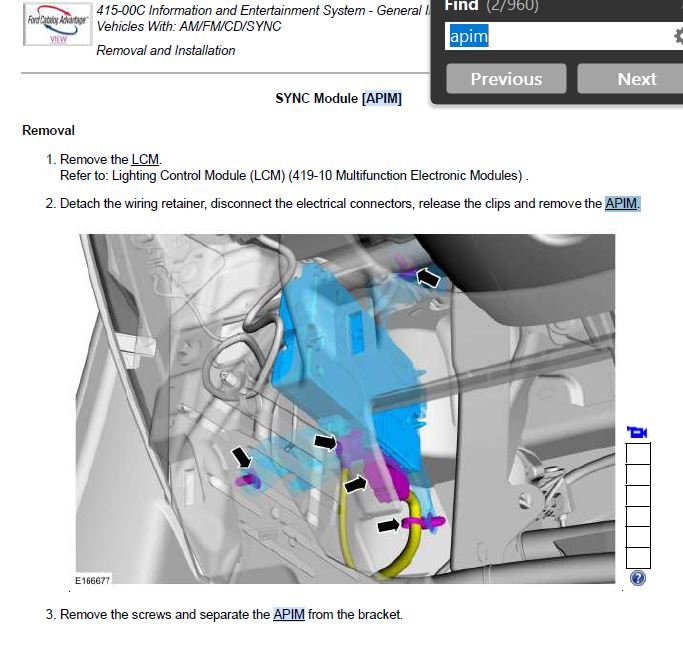
If resets and re-pairing fail, the APIM is almost certainly defective. Confirm with these diagnostic checks.
Check for SYNC-Specific Error Codes
Generic OBD2 scanners cannot read APIM faults. You need one of the following:
- FORScan with an extended license and a compatible ELM327 adapter
- Ford IDS or FDRS dealer-level tools
Scan the APIM module for codes such as:
- B1234: Bluetooth Module Communication Error
- U0100: Lost Communication with APIM
- Audio Input Timeout or Source Switch Failure
These codes confirm the module is not processing data correctly.
Verify SYNC Software Version
Outdated firmware can worsen instability, though it will not fix dead hardware.
- Go to Settings > System Info.
- Note the SYNC version number.
- Visit Ford’s Support Site and enter your VIN.
- Check for available updates.
If an update exists, a dealer must install it. Most 2016 models do not support USB-based updates.
Inspect the Fuses
Even though the system powers on, a marginal fuse can cause voltage drops during Bluetooth handshake.
- Open the driver’s side fuse box (under the dash).
- Check fuses labeled AUDIO, SYNC, APIM, or RADIO.
- Look for discoloration or broken filaments.
- Swap with a known-good fuse of the same rating.
This will not fix a dying APIM, but it is a quick and easy check to rule out.
Replace the APIM Module (Permanent Fix)
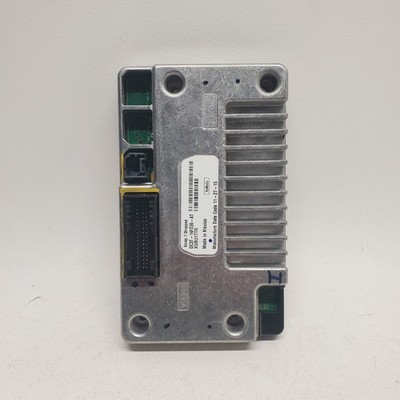
When software fixes fail, the only real solution is replacing the APIM, which is integrated into the radio unit.
Why the APIM Fails
The APIM in 2016 F250s handles:
- Bluetooth pairing and audio streaming
- USB and AUX input switching
- Voice command processing
- Phone book synchronization
Internal components degrade over time, especially due to heat cycles in the dashboard. The Bluetooth radio or processor fails to complete handshake protocols, causing timeouts and lockups. Meanwhile, basic functions like FM radio continue to work because they do not require the same data processing.
Replacement Options Compared
| Option | Cost | Pros | Cons |
|---|---|---|---|
| Dealership Replacement | ~$800 | Guaranteed compatibility, full programming, warranty | Expensive |
| Used/Salvage Unit | $150–$300 | Much cheaper | May be faulty; often needs programming |
| Rebuilt by Specialist | $200–$400 | Cost-effective; tested repair | Requires shipping; turnaround time |
Install a Used APIM Module
Swapping in a used unit from LKQ, CoParts, or a similar salvage yard can save hundreds if done correctly.
Step-by-Step Swap
-
Find the Part Number:
– Remove the radio bezel using trim tools.
– Note the APIM part number on the back of the unit (for example, 4T3Z-14C805-XXX). -
Order a Matching Unit:
– Buy from a salvage yard with a 30-day return policy.
– Match the part number exactly. -
Remove the Old Radio:
– Disconnect the battery.
– Unplug the radio harness and antenna.
– Slide the unit out. -
Install the Used Unit:
– Plug in the harness and antenna.
– Slide the unit in and reassemble the bezel. -
Test Immediately:
– Reconnect the battery.
– Power on and try Bluetooth.
Programming May Be Required
Even with the same part number, the vehicle may not accept the used APIM without programming. Some 2016 models require:
- VIN registration
- MAC address pairing
- Feature configuration (such as navigation vs. no navigation)
If the unit does not work after installation, take it to a dealer or independent shop with FORScan Pro or IDS tools to program it.
Consider a Third-Party Repair

Specialized electronics shops can repair the APIM instead of replacing it, often at a lower cost.
How It Works
- You remove the radio and ship it to a repair service.
- They diagnose and fix failed Bluetooth chips, corroded solder joints, or bad capacitors.
- The unit is tested and returned in 3 to 5 days.
Recommended Services
- SYNC Repair (syncrepair.com)
- Electronics Repair Solutions (ersrepair.com)
- ModuleMaster (modulemaster.com)
Typical cost runs $200 to $350, significantly cheaper than dealer replacement.
Prevent Future Failures
Once your APIM is repaired or replaced, extend its lifespan with these habits.
Reduce Heat Stress
- Use a sunshade when parked in direct sunlight
- Park in the shade whenever possible
- Avoid leaving the truck in extreme heat for extended periods
Manage System Load
- Delete old, unused paired phones
- Limit active devices to one or two
- Avoid streaming high-bitrate audio for long stretches
Keep Software Updated
- Check Ford’s website every six months for SYNC updates
- Have updates installed by a dealer if available
Frequently Asked Questions About 2016 F250 Bluetooth Problems
Why does my 2016 F250 Bluetooth connect then immediately disconnect?
This usually points to a corrupted pairing profile or a failing APIM. Start by deleting the device from both the truck and your phone, then re-pair from scratch. If the problem persists across multiple phones and a factory reset, the APIM hardware is likely degrading.
Can a software update fix Bluetooth issues on a 2016 F250?
Sometimes. Software updates address known bugs and can resolve intermittent connectivity problems. However, if the APIM is physically failing, no update will provide a permanent fix. Updates are worth trying but should not be expected to revive dead hardware.
How much does it cost to replace the APIM in a 2016 F250?
Dealer replacement runs approximately $800 for parts and labor. Used units from salvage yards cost $150 to $300 but may require additional programming. Third-party repair services typically charge $200 to $400 to rebuild your existing unit.
Is there a temporary workaround if my F250 Bluetooth is not working?
Yes. Plug a $20 Bluetooth AUX adapter into the 3.5mm jack. You will get audio streaming, though you will lose hands-free calling, voice dialing, and contact synchronization. It is a useful stopgap while you arrange a permanent repair.
How do I know if my APIM is bad versus a software glitch?
If FM radio works but Bluetooth, AUX, and USB all time out, and the system freezes until you cycle the key, the APIM is almost certainly failing. Software glitches tend to be intermittent and resolve with a reset or re-pairing.
Key Takeaways for Fixing Your 2016 F250 Bluetooth
If your 2016 F250 Bluetooth is not working and you have already tried resets, re-pairing, and a factory reset, the APIM is almost certainly failing. The signature pattern is clear: FM radio works while every external input times out and freezes the system.
Your best paths forward are:
- Try a used APIM swap from a salvage yard with a solid return policy. Match the part number exactly.
- Send your unit for professional repair through a service like SYNC Repair or ModuleMaster. It is cheaper than the dealer and better for the environment.
- Go to the dealership if you want a plug-and-play fix and do not mind the $800 price tag.
Avoid opening the module yourself. It is not user-serviceable and requires specialized equipment.
For full hands-free integration with calling, voice dialing, and contact sync, replacing or repairing the APIM is the only real fix. Stop wasting time on endless resets. This is a known hardware failure with a clear solution. Fix it right, and your 2016 F250 will stay connected for years to come.


