
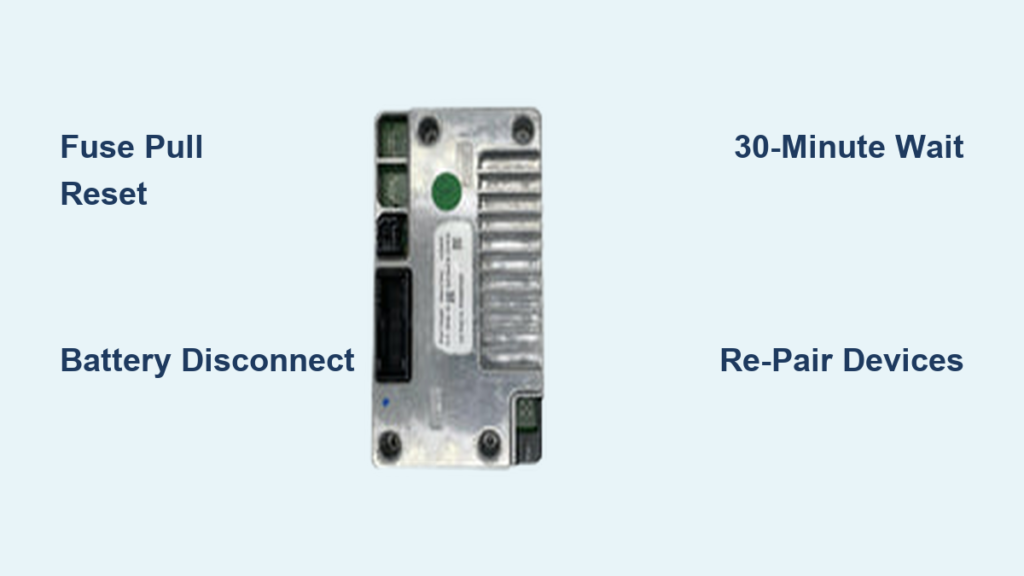
You press the voice button on your steering wheel, hear the familiar “What do you want to do?” prompt, and wait. Nothing happens. Your phone won’t pair, commands time out, and your 2012 F250 SYNC not working issue leaves you stuck without hands-free calling or music streaming. This frustrating failure is one of the most reported problems among owners of trucks equipped with the Gen 1 SYNC system and a standard (non-navigation) radio.
The good news is that this problem rarely requires new parts. In almost every case, the root cause is software corruption inside the SYNC module, not a broken microphone, head unit, or wiring harness. A proper hard reset clears the corrupted memory and brings the system back online. This guide explains exactly how to perform that reset, why the failure happens, and when you should consider hardware replacement instead.
Decode Common SYNC Failure Signs
Voice Command Timeout Issue
The most telling symptom of a failing 2012 F250 SYNC system is the voice command timeout. The system appears active and even delivers the opening prompt, but it cannot process what you say. After a few seconds of silence, it gives up and displays a timeout message.
The display may still show your radio station or song information, creating the illusion that everything is fine. Under the surface, however, the SYNC module has frozen. Voice recognition and Bluetooth depend on background processes that have crashed, leaving the interface running but functionally dead.
Bluetooth Pairing Failures
When SYNC locks up, Bluetooth pairing usually fails along with it. Your phone may not appear in the device list, or pairing attempts may stall halfway through. In some cases, the phone briefly shows as “connected,” but calls do not route through the truck’s speakers and contacts fail to download.
This happens because Bluetooth relies on the same SYNC module that handles voice commands. If that module has crashed, Bluetooth services cannot initialize. After a successful reset, you will need to delete any old pairings and set up your devices again from scratch.
Intermittent vs. Persistent Failure
Some owners experience this issue only occasionally, with SYNC working normally for weeks before suddenly failing. Others face a persistent breakdown that lasts for days. Both patterns point to the same underlying cause: software instability in the Gen 1 SYNC platform.
Intermittent failures often follow long drive cycles or extended periods of system use. Persistent failures typically appear after a failed update, a power surge, or accumulated memory corruption. Either way, the fix is the same: a full power cycle to wipe the module’s memory.
Perform a Hard Reset (Step-by-Step)
Fuse Pull Reset Procedure
The most effective fix for a non-working 2012 F250 SYNC system is the fuse pull reset. This method cuts power only to the SYNC module, forcing a clean reboot without affecting other vehicle electronics.
Steps:
1. Turn off the ignition and remove the key.
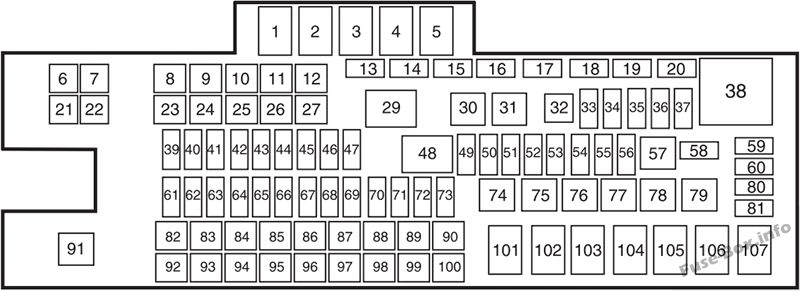
2. Open the fuse box, typically located on the driver’s side dash or under the hood. Check your owner’s manual for the exact location.
3. Locate the SYNC system fuse. It may be labeled “SYNC,” “AUDIO,” or “RADIO.” Some owners describe it as a brownish-colored fuse, but always confirm using the diagram in your manual.
4. Use fuse pullers or needle-nose pliers to remove the fuse carefully.
5. Wait at least 30 minutes. This step is critical. The capacitor inside the SYNC module must fully discharge to clear temporary memory.
6. Reinsert the fuse securely.
7. Turn the ignition on and allow the system to boot, which may take 1 to 2 minutes.
8. Re-pair your phone and reconfigure voice and audio settings.
This reset clears all user preferences and paired devices, so plan to re-enter your contacts, favorites, and Bluetooth connections afterward.
Battery Disconnect Reset (Full System Wipe)
If you cannot locate the SYNC fuse or the fuse pull did not restore functionality, the next step is a full battery disconnect. This resets every electronic module in the truck, including SYNC, the instrument cluster, and the powertrain control module.
Steps:
1. Turn off the vehicle and remove the key.
2. Open the hood and locate both batteries (standard on diesel F250s).
3. Disconnect the negative terminal first, then the positive.
4. Wait 30 to 60 minutes to allow all capacitors to drain completely.
5. Reconnect the positive terminal first, then the negative.
6. Close the hood and turn the ignition on.
7. Allow the SYNC system to reboot. It may take longer than usual to initialize.
8. Re-pair all Bluetooth devices and reset your preferences.
Note: A full battery reset may require you to reset other settings as well, including the clock, radio presets, and tire pressure monitoring system. However, it is the most thorough way to eliminate stubborn software lockups.
Check Software and Update Status
Confirm SYNC Is Up to Date
Even a fully updated SYNC system can fail. In one documented case, the software was verified as current after a June 2015 update, yet the system still experienced complete voice and Bluetooth failure. This confirms that being current on firmware does not prevent this glitch.
Still, checking for updates should be part of your troubleshooting. To verify your software version:
– Press the Menu button on the radio.
– Navigate to Settings, then System Information, then Software Version.
– Compare this version with the latest release listed on the Ford Owner website or available at a dealership.
If an update is available, install it after performing a hard reset. Never attempt an update on a system that is already in a corrupted state, as this can cause further issues.
Why Updates Don’t Prevent Glitches
Gen 1 SYNC, introduced in 2007, was Ford’s first major integrated infotainment platform. While functional, it is known for memory leaks, slow processing, and software hangs, especially under prolonged use. Later versions, including SYNC 2 and SYNC 3, improved stability significantly.
The 2012 F250’s SYNC system runs on limited onboard memory and an older processor. Over time, repeated use, failed connections, and background processes can overload the system and corrupt data. No software patch has fully resolved this, making periodic hard resets a necessary maintenance step for many owners.
Locate SYNC Hardware and Fuses

Find the SYNC Fuse in Your Fuse Box
The exact fuse location varies by trim level and configuration. Always consult your owner’s manual for the correct fuse box diagram. Common labels for the SYNC fuse include:
– AUDIO
– SYNC
– RADIO
– INFOTAINMENT
In some models, the fuse is position #63, a 10A fuse in the interior fuse box, but this is not universal. A brownish-colored fuse may serve as a visual clue, but confirm with the manual before pulling anything.
If the manual is missing, you can:
– Use a multimeter to test fuses while the system is off.
– Remove fuses one at a time and inspect for continuity.
– Visit a Ford dealer or auto parts store, which often has fuse diagrams on file.
Is the SYNC Module Replaceable?
Yes, the SYNC module can be replaced, but it is rarely necessary. Unlike later models, such as the 2015 F-150, where touchscreen failure is common, the 2012 F250’s issue is typically software-related rather than hardware-based.
If your screen is fully functional, meaning it displays information, responds to touch, and changes menus, but voice and Bluetooth do not work, a reset will likely fix it. However, if the screen is black, frozen, or completely unresponsive, the hardware may have failed.
Replacement units can be found online or at salvage yards. Be sure to get a Gen 1 SYNC unit compatible with the 2012 F250’s wiring harness. Some units require VIN pairing at a dealership, so verify compatibility before purchasing.
Prevent Recurring SYNC Failures
Reset as Preventive Maintenance
Because Gen 1 SYNC is prone to memory buildup and crashes, scheduled resets can prevent long-term issues. Consider performing a fuse pull reset every 6 to 12 months, especially if you use Bluetooth heavily.
This clears temporary files, resets connection logs, and prevents the slow degradation that leads to full lockups. Think of it like rebooting a computer. You do not wait for it to freeze; you restart it periodically to keep it running smoothly.
Avoid Common Mistakes
- Do not skip the 30-minute wait. Cutting power for just a few minutes will not clear the capacitor. The full discharge is essential.
- Do not assume outdated software is the cause. Even fully updated systems fail.
- Do not ignore intermittent issues. If SYNC stops working occasionally, reset it immediately. Delaying increases the chance of a full lockup.
- Do not use aftermarket chargers or USB devices. Poor-quality accessories can introduce power surges that destabilize the system.
When to Consider Hardware Replacement

Signs of Physical Failure
If hard resets do nothing and your SYNC system shows any of these signs, hardware may be at fault:
– Completely blank screen with no display at all
– No power to the radio interface
– Touchscreen unresponsive, with buttons that do not react
– No startup chime or opening prompt
These symptoms suggest a failed motherboard, power supply issue, or damaged wiring, problems that a reset cannot fix.
Compare with 2015 F-150 Failures
In the 2015 F-150, Gen 1 SYNC units sometimes suffered from total touchscreen failure, requiring full assembly replacement. While the 2012 F250 does not share the same touchscreen hardware, the underlying module uses similar firmware and architecture.
If your 2012 F250 exhibits identical symptoms, including no display and no response, then hardware replacement is justified. Used units on eBay or from junkyards can cost between $100 and $250, with installation taking 1 to 2 hours for a DIYer.
Frequently Asked Questions About 2012 F250 SYNC Problems
Why does my 2012 F250 SYNC not respond to voice commands?
The SYNC module has likely entered a corrupted software state. The system can still display information and deliver prompts, but the underlying processes that handle voice recognition have crashed. A hard reset clears this corruption.
How long do I need to wait after pulling the SYNC fuse?
Wait at least 30 minutes. This allows the capacitor inside the SYNC module to fully discharge and erase temporary memory. Cutting power for only a few minutes is not enough.
Can outdated software cause SYNC to stop working?
Not necessarily. Documented cases show that even systems verified as fully up to date have experienced this failure. Software corruption, not version age, is the primary cause.
Will a battery disconnect fix SYNC issues?
Yes, in many cases. Disconnecting both batteries resets every electronic module in the truck, including SYNC. This method is more thorough than a fuse pull and is a good fallback if the fuse method fails.
How do I know if my SYNC module needs replacement?
If hard resets do not restore function and the screen is black, frozen, or completely unresponsive to touch, the hardware may have failed. Functional screens with broken voice or Bluetooth features almost always indicate a software issue.
Is Gen 1 SYNC known for being unreliable?
Yes. Gen 1 SYNC is widely regarded as the least stable generation of Ford’s infotainment platform. It is prone to memory leaks, slow processing, and intermittent lockups, especially in vehicles with prolonged use.
Key Takeaways for Restoring Your 2012 F250 SYNC System

The 2012 F250 SYNC not working issue is frustrating but almost always fixable without spending money. A 30-minute fuse pull or battery disconnect clears the corrupted software state and restores both voice commands and Bluetooth connectivity. Gen 1 SYNC is inherently unstable, so periodic resets every 6 to 12 months can keep the system running reliably for years. Only consider hardware replacement if the screen is completely dead or if multiple resets fail to bring the system back online. Start with the fuse pull method today, and you will likely have your truck’s connectivity restored within an hour.


