
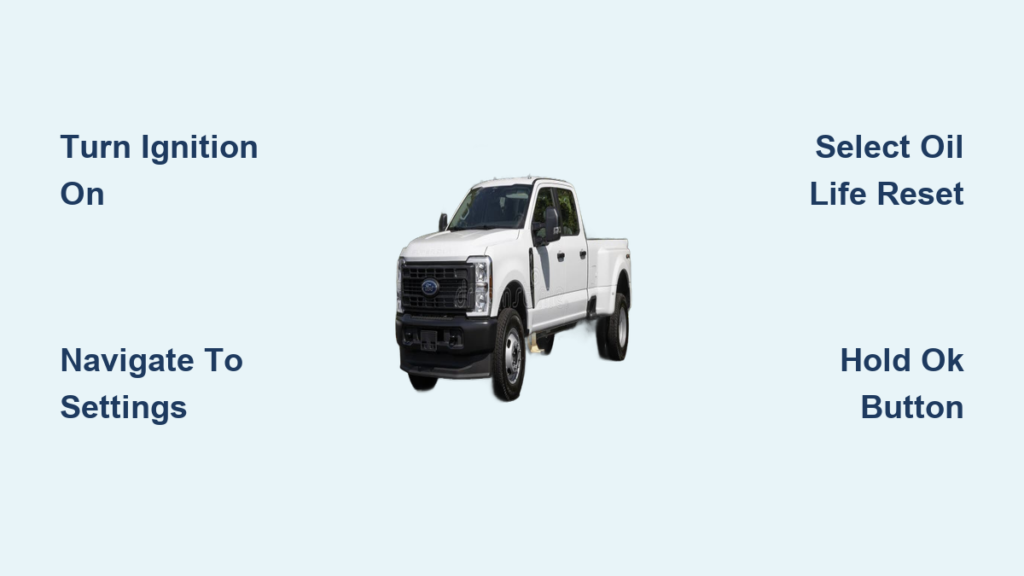
You changed the oil in your Ford F350, yet the dashboard still demands service. This persistent alert means you must learn how to reset oil life on Ford F350 trucks to ensure accurate maintenance tracking.
This guide provides clear steps for 2019 through 2024 models with SYNC 3 or MyFord Touch. You will learn to navigate menus, confirm the reset, and troubleshoot common issues quickly.
Access the Instrument Cluster Menu on Your Ford F350
Start by turning your ignition to the ON position without starting the engine. The instrument cluster message center is the control hub for all vehicle settings and maintenance resets.
Navigate to Settings Using Steering Wheel Controls
Press the left arrow button on your steering wheel repeatedly. Continue pressing until the display highlights the Settings option on your screen.
Pro Tip: If you see trip data or fuel economy first, keep pressing the left arrow until Settings appears.
Enter the Vehicle Settings Submenu
Press the right arrow button once to open the Settings menu. Press the right arrow two more times to scroll specifically to the Vehicle submenu.
This section houses critical functions like tire pressure monitoring and oil life management for your truck.
Locate the Oil Life Reset Option in the Menu

Scroll through the Vehicle menu using the up and down arrow buttons on your steering wheel. Look specifically for the text Oil Life Reset on your display.
Identify the Correct Menu Label
Depending on your specific truck configuration, the label might read Engine Oil or Oil Change Reset. The current oil life percentage usually appears next to this option.
Visual Cue: Watch for a percentage number like 15% or 30% displayed beside the menu item.
Select the Reset Function
Highlight the Oil Life Reset option and press the right arrow to select it. Your screen will immediately show a confirmation prompt asking to reset oil life to 100%.
Confirm the Oil Life Reset on Ford F350
The system requires a specific input to prevent accidental resets of your maintenance data. You must hold the button down rather than just tapping it briefly.
Hold the OK Button to Initiate Reset
Press and hold the OK button located in the center of your steering wheel controls. Maintain pressure for 3 to 5 seconds while watching the display.
Warning: Releasing the button too early will cancel the process. Hold it firmly until you see a progress indicator.
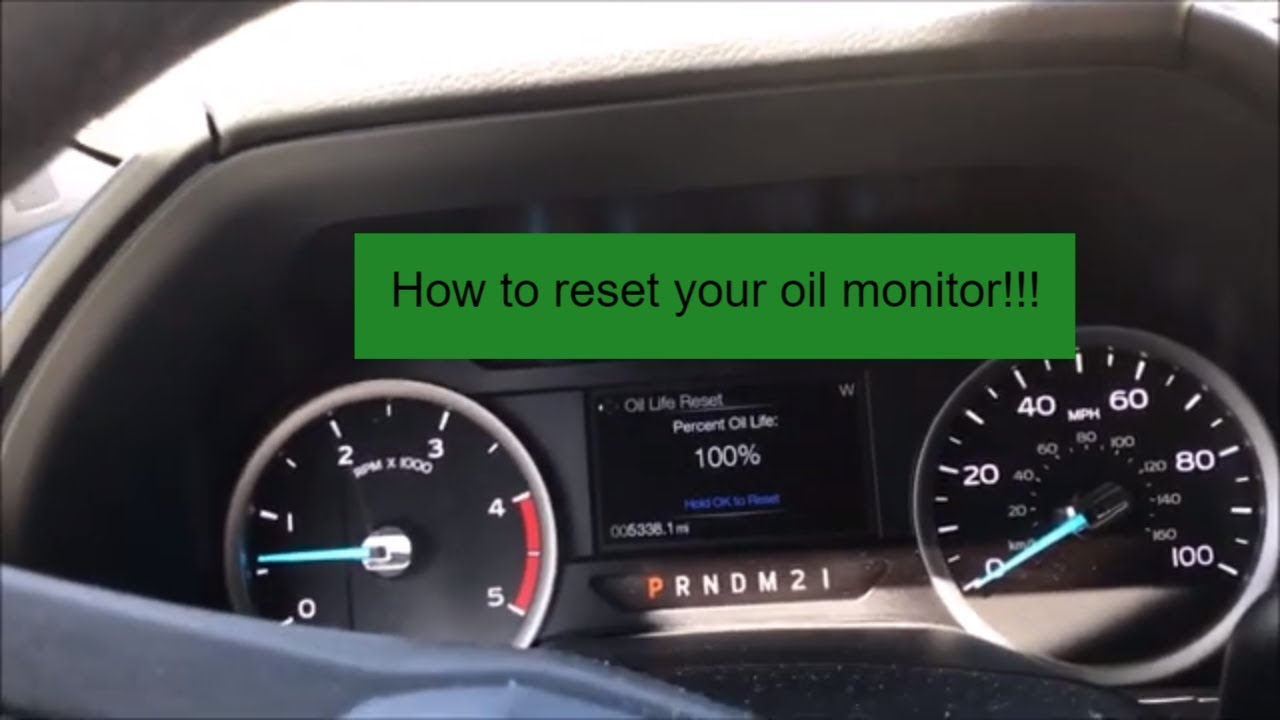
Verify the 100% Oil Life Display
The screen will show a spinning icon or progress bar as the system processes your request. A successful reset displays Oil Life: 100% to confirm the new cycle has started.
Common Mistake: Many drivers stop too soon. Wait for the explicit 100% confirmation message before releasing.
Troubleshoot Failed Oil Life Resets on Your Truck
Sometimes the system does not respond immediately due to ignition status or driving mode conflicts. Follow these checks if the standard procedure fails.
Address No Response When Holding OK
Ensure your ignition is fully in the ON position and not just in accessory mode. Verify the truck is in Park and not in any drive mode before trying again.
- Turn the key to ON without cranking the engine
- Ensure the transmission is in Park
- Restart the ignition cycle and repeat the steps
Fix Oil Life Dropping Immediately After Reset
The system may need time to recalculate based on recent driving patterns and engine temperature. Short trips or cold starts can temporarily affect the displayed percentage.
This behavior is normal within the first 50 miles after a reset. Avoid judging the reset success until you have driven the truck for a few days.
Resolve Missing Oil Life Reset Options
Base trims with smaller screens might lack the full digital menu structure found in higher-end models. Check if your truck uses SYNC 3 or an older interface.
- Consult your owner’s manual for push-button alternatives
- Look for a physical reset stalk near the dashboard
- Verify your software version is up to date
Reset Procedures by F350 Model Year
Software updates between model years can slightly alter menu paths or button press durations. Knowing your specific year helps avoid confusion.
2019–2021 F-350 Reset Steps
These models utilize the earlier version of the SYNC 3 interface with a consistent menu layout. Some early 2019 units require holding the OK button for up to 7 seconds.
Follow the standard navigation path through Settings and Vehicle to find the reset option. Patience with the button hold time is key for these specific years.
2022–2024 F-350 Reset Steps
Newer software updates may introduce a Maintenance top-level menu item. Navigate to Settings, then Vehicle, and look for Maintenance to find the oil reset.
- Select Maintenance from the Vehicle menu
- Choose Reset Oil Life from the list
- Confirm with a long press of the OK button
Note: 2022 and newer models often display a brief animation confirming the successful reset.
Why You Must Reset Oil Life After Every Change

Skipping this step leaves your truck thinking the old oil is still in use. This leads to inaccurate service alerts and potential confusion about your actual maintenance needs.
Prevent False Service Alerts
Without a reset, the countdown continues from the previous level. This triggers premature Change Oil Soon warnings that do not reflect your fresh oil change.
Maintain Warranty Compliance Records
Ford recommends resetting the monitor after every service to keep accurate logs. Proper records support warranty claims if engine issues arise later.
Optimize Engine Protection Algorithms
The system tracks engine load and temperature to predict oil degradation. Resetting ensures these algorithms adapt to your specific driving habits and conditions.
Avoid Common Mistakes When Resetting Oil Life
Simple errors often cause frustration when trying to complete this task. Awareness of these pitfalls saves time and ensures success.
Skipping the Required Hold Time
Tapping the OK button will not work. The system demands a continuous press to authorize the change.
Forgetting to Reset Entirely
Delaying the reset skews your next service reminder. Make this step part of your standard post-change checklist.
Assuming All Trim Levels Are Identical
Lower trims like the XL with basic displays use different controls. These models may require turning a knob or holding a separate reset button.
Expert Note: Non-touchscreen models often use a physical reset method found in the owner’s manual.
Distinguish Between Reset and Recalibration

Understanding the difference helps you choose the right solution for your situation. Most users only need a standard reset.
Standard Reset After Oil Change
Use the menu method described above every time you replace your oil. This sets the counter to 100% and starts the tracking cycle anew.
Full System Recalibration for Errors
Perform a battery disconnect only if the oil life behaves erratically or drops too fast. This clears corrupted data from the powertrain control module.
- Disconnect the negative battery terminal for 10 minutes
- Reconnect the terminal and restart the truck
- Run the standard oil life reset procedure
Caution: Only recalibrate if standard resets fail repeatedly. Frequent battery disconnection is not recommended.
Final Tips for Long-Term F350 Maintenance
Consistent care extends the life of your heavy-duty truck. Proper tracking complements your mechanical efforts.
Sync with Your Service Records
Log the date and mileage immediately after resetting. This creates a reliable history for future reference or resale value.
Use Recommended Oil Types
The monitor assumes you use Ford-recommended oil specifications. Using the wrong viscosity can skew life expectancy calculations.
Schedule Your Next Change Proactively
Plan your next service around 5,000 to 7,500 miles depending on usage. The monitor is a helpful guide but not a substitute for regular inspection.
Frequently Asked Questions About Resetting Oil Life on Ford F350
Do I need to start the engine to reset the oil life?
No, you only need to turn the ignition to the ON position. Starting the engine is not required and the process works with the engine off.
What if the oil life percentage does not reach 100%?
Ensure you held the OK button long enough for the progress bar to complete. If it still fails, try cycling the ignition off and on before repeating the steps.
Can I reset the oil life while driving my F350?
No, the vehicle must be in Park with the ignition on. The system disables menu changes while the truck is in motion for safety reasons.
Does this reset method work for all 2019–2024 F350 trims?
It works for most trims with digital displays. Base models with monochrome screens may require a different button combination listed in the manual.
Will resetting the oil life clear other maintenance warnings?
No, this process only resets the oil life monitor. Other alerts like tire pressure or brake wear require their own specific reset procedures.
How often should I reset the oil life on my Ford F350?
You should reset the oil life immediately after every oil change. This ensures the tracking system remains accurate for your next service interval.
Key Takeaways for Resetting Oil Life on Ford F350
Knowing how to reset oil life on Ford F350 trucks keeps your maintenance schedule accurate and your engine protected. Remember to hold the OK button until you see the 100% confirmation to avoid failed attempts.
Always verify your specific model year and trim level if the standard menu path does not appear. With these steps, you can confidently manage your truck’s health and avoid unnecessary service alerts.


