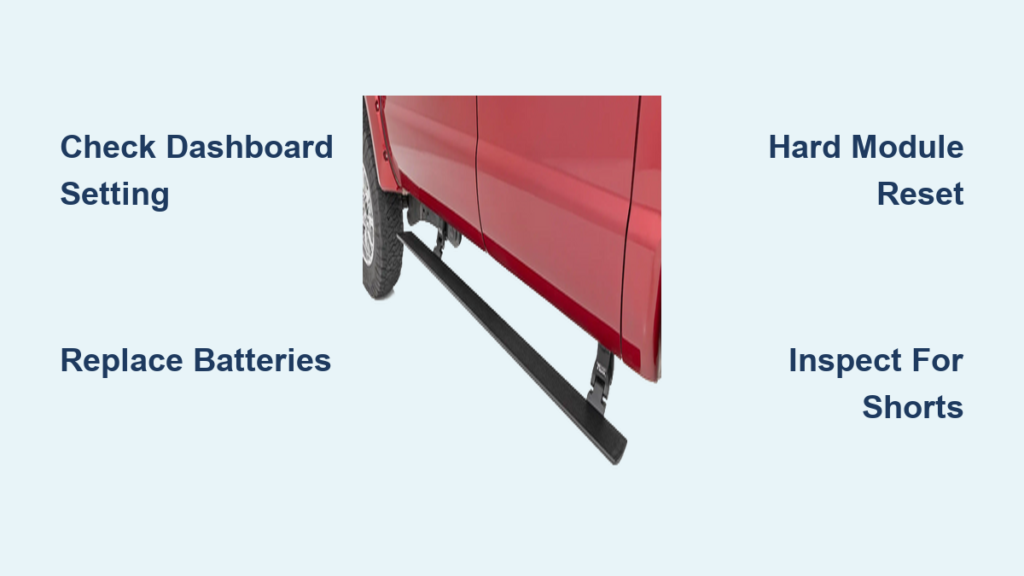
If your 2017 F-250 power running boards aren’t deploying when you open the door, you’re not alone. This common issue affects many Super Duty owners, especially those with factory-installed or aftermarket power steps. The most frustrating symptom is the dashboard setting mysteriously flipping from Automatic to Off, often overnight or after towing, leaving you scrambling to manually reset it. Sometimes one board sticks out while the other retracts. Other times, both fail completely. While it may seem like a mechanical flaw, the root cause is usually electrical: failing batteries, module glitches, or hidden shorts.
The good news: most problems can be fixed with a systematic approach. In this guide, you’ll learn how to diagnose and fix your 2017 F-250 power running boards not working, starting with simple resets and progressing to advanced electrical fixes.
Check the Dashboard Setting First

Why the Setting Switches to Off
The Automatic to Off reversion is the most reported symptom. Your truck disables the feature automatically due to a detected fault or power anomaly. This is a safety response, not user error. The Running Board Module (RBM) or Gateway Module (GWM) may shut off auto-deployment after a low-voltage event, electrical short, or software glitch. If you recently updated SYNC, that update could have triggered the logic failure.
How to Reset the Setting
- Turn the ignition to ON without starting the engine.
- Press the Settings button on the SYNC screen.
- Navigate to Vehicle, then Running Boards.
- Select Automatic.
- Close all doors and test by opening the driver’s door.
If the setting flips back to Off within hours or after driving, the system has detected a fault. Move to deeper diagnostics.
Test and Replace Both Batteries
OEM Flood Batteries Fail Early
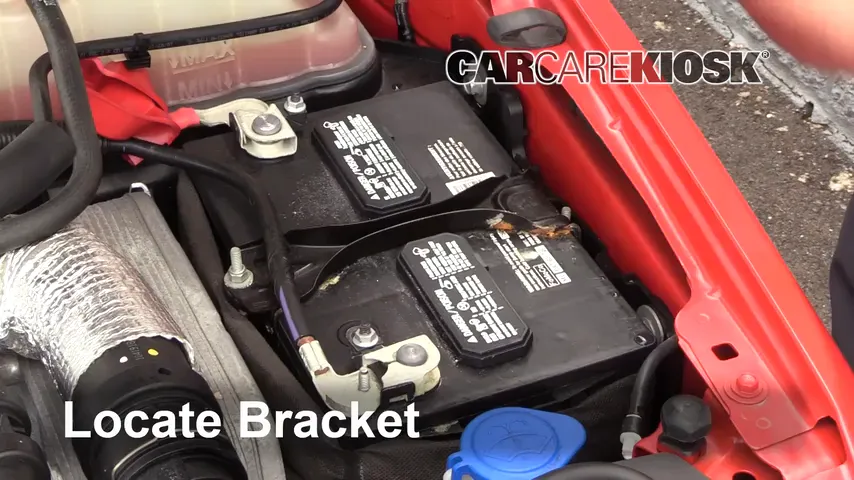
The 2017 F-250 uses a dual-battery system, and both batteries must be healthy. OEM flooded lead-acid batteries, especially in 6.7L Power Stroke models, are prone to overheating, leaking, and premature failure due to tight engine bay fitment. Even if they test okay, weak batteries cause voltage drops that trigger power preservation mode and disable running boards.
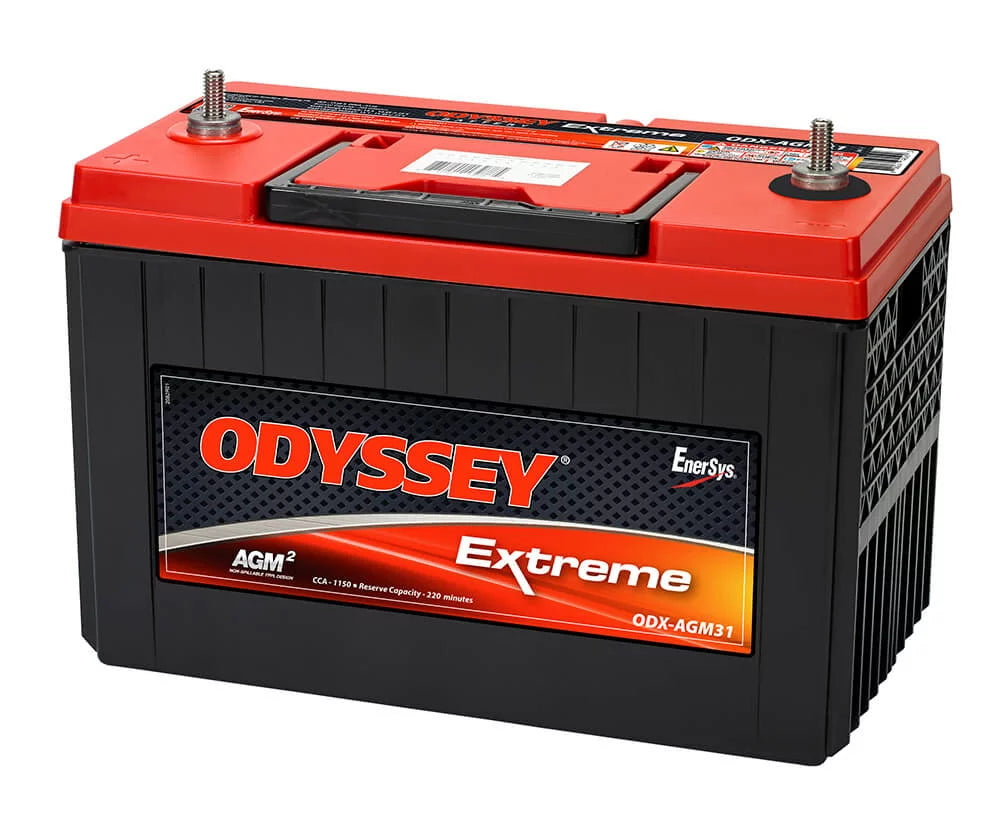
Upgrade to AGM Batteries
Replace both OEM batteries with AGM (Absorbent Glass Mat) batteries. They handle deep cycling, resist vibration, and maintain stable voltage, which is critical for sensitive electronics like the RBM.
Recommended AGM Brands:
– Odyssey Extreme AGM (top choice for durability)
– Duralast Gold AGM (cost-effective and reliable)
Some owners relocate batteries to a bed-mounted toolbox using 0 or 1 AWG cables to escape engine heat, but direct OEM replacement with AGMs usually solves the issue.
Perform a Hard Module Reset
Why a Reset Works
Electrical glitches can corrupt the RBM or GWM logic. A hard reset drains residual power and forces modules to reboot cleanly. This often restores the Automatic setting and clears phantom faults.
Step-by-Step Reset Procedure
- Open both front doors.
- Ensure running boards are fully extended. If not, manually lower them.
- Disconnect the negative terminal of both batteries.
- Turn the headlight switch to ON to drain capacitors.
- Wait 20 minutes.
- Turn the headlights OFF.
- Reconnect battery terminals.
- Start the truck and let it idle for 2 minutes.
- Test door opening to trigger deployment.
If boards are retracted during disconnect, the system may not sync properly on reboot.
Inspect for Debris and Binding
Dirt and Sand Cause Sticking
The motor and linkage assemblies are exposed to road grime. In sandy or muddy environments, packed debris increases resistance, causing the system to detect a jam and disable auto mode as a safety measure.
How to Clean the Mechanism
- Fully extend the running boards.
- Spray water or degreaser into the motor housing and pivot points.
- Use a soft brush to remove caked dirt.
- Operate the boards manually a few times to work out grit.
- Dry thoroughly.
Avoid high-pressure sprayers near electrical connectors. Clean every 3 to 6 months in harsh conditions.
Diagnose Electrical Shorts

Seat Massage Relay Can Cause Failure
A verified case in a 2017 F-150 (same electrical architecture) found that a short in the driver’s seat massage relay was back-feeding current and disabling the running boards. The fix was removing the relay.
How to Test for Relay Shorts
- Locate the seat control module under the driver’s seat.
- Identify the massage function relay by consulting a wiring diagram.
- Pull the relay and test the running boards.
- If they work, the relay or seat wiring is faulty.
Aftermarket seat warmers or other aftermarket electronics can also cause interference.
Check Fuse Placement and Integrity

Wrong Slot Causes Shorts
During battery replacement or DIY repairs, the running board fuse can be accidentally placed in the wrong slot. This creates a short circuit or confuses the GWM, leading to system shutdown.
Correct Fuse Location
- Fuse Panel: Interior fuse box on the driver’s side dash
- Fuse ID: Typically labeled RUNNING BOARDS or EXT LT PWR
- Amperage: Usually 20A or 25A (verify with your owner’s manual)
Steps to Verify
- Turn off the ignition.
- Pull the fuse and inspect for blown elements or corrosion.
- Confirm it is in the correct slot.
- Replace with exact amperage rating, never higher.
A misplaced fuse can damage the RBM or GWM.
Address Towing-Related Failures
Trailer Wiring Triggers Malfunctions
Many users report that running boards fail only when towing or when a seven-pin trailer tester is plugged in. The added electrical load or feedback from trailer wiring can confuse the RBM.
How to Isolate the Issue
- Unplug all trailer connectors.
- Remove any trailer brake controller or test light from the bed socket.
- Perform the hard reset by disconnecting the batteries.
- Test boards without any trailer load.
If they work, the issue is electrical back-feed or voltage drop from towing circuits. Consider installing a trailer wiring isolator or checking for corroded pins in the 7-pin connector.
Use ForScan for Advanced Diagnostics
Read GWM and RBM Fault Codes
Consumer tools like ForScan (with extended license) can access Ford’s Gateway Module and Running Board Module logs. This reveals:
– Low voltage events
– Power preservation mode triggers
– Module communication errors
What to Look For
- DTCs (Diagnostic Trouble Codes) related to Body Control or Accessories
- Log entries showing Auto to Off transitions
- Battery voltage history below 11.8V
A GWM reset via ForScan can clear corrupted settings, but re-engage Automatic mode afterward.
Visit a Dealer for Deep Diagnosis
When to Seek Professional Help
If basic fixes fail, go to a Ford dealership with advanced diagnostics. Independent shops often lack the tools to read GWM logs or reprogram modules.
What to Request
- Check GWM logs for low voltage or power preservation events.
- Scan for RBM-specific codes not always visible on generic OBD2 tools.
- Inspect for electrical shorts in door jamb wiring, seat systems, or the fuse box.
- Reflash RBM/GWM software, as Ford may have issued a calibration update.
- Verify battery health under load, not just voltage.
Some users report dealers initially blaming deleted running boards or user error, so be persistent.
Prevent Future Failures
Maintain Voltage Stability
- Test batteries every 6 months, especially before winter.
- Use a battery monitor app via ForScan to track voltage in real time.
- Avoid aftermarket accessories that draw heavy current when parked.
Keep Software Updated
While SYNC updates have triggered issues, later updates may fix bugs. Ask the dealer for the latest RBM and GWM calibrations.
Clean After Off-Road Use
After beach, mud, or snow driving:
– Rinse running board mechanisms.
– Manually cycle them 3 to 5 times.
– Let them dry fully before closing doors.
Frequently Asked Questions About 2017 F-250 Power Running Boards
Why do my 2017 F-250 power running boards keep switching to Off?
The system automatically disables the Automatic setting when it detects a fault, such as low voltage, an electrical short, or a software glitch. This is a built-in safety response, not a user error.
Can bad batteries cause power running boards to stop working?
Yes. The 2017 F-250 uses a dual-battery system, and weak or failing batteries cause voltage drops that trigger power preservation mode. This mode disables non-essential accessories like running boards until voltage stabilizes.
How do I hard reset the running board module?
Disconnect both battery negative terminals, turn the headlight switch ON for 20 minutes to drain residual power, then reconnect. This forces the RBM and GWM to reboot and often clears phantom faults.
Will upgrading to AGM batteries fix my power running boards?
In many cases, yes. OEM flooded batteries are prone to overheating and voltage instability in the tight 6.7L engine bay. AGM batteries like Odyssey Extreme or Duralast Gold maintain more stable voltage and resist heat damage.
Why do my running boards only fail when towing?
Trailer wiring or a seven-pin test light can cause electrical back-feed or voltage drops that confuse the RBM. Try unplugging all trailer connections and testing without a load to confirm this is the cause.
Should I go to a dealer for running board problems?
If basic troubleshooting (settings check, battery test, hard reset, cleaning) does not resolve the issue, a dealer with Ford-specific diagnostic tools (IDS or FDRS) can read GWM logs, check for shorts, and reflash module software.
Final Thoughts on Fixing Your 2017 F-250 Power Running Boards
The 2017 F-250 power running boards not working issue is not random. It is a response to electrical instability, debris, or software faults. Start with the dashboard setting and battery health, then perform a hard reset. If problems persist, investigate seat relay shorts, fuse placement, and towing-related electrical loads.
For stubborn cases, use ForScan or visit a Ford dealer with advanced tools. Upgrading to AGM batteries is often the single most effective fix. With proper maintenance and systematic diagnostics, your power steps can work reliably for years. Don’t give up. This fixable problem should not ruin your Super Duty experience.