If your Ford F-150 side steps not working, you’re not alone. Power running boards on F-150 models—especially Platinum, Lariat, and King Ranch trims—frequently stop deploying or retracting due to software resets, dirt buildup, or mechanical binding. The good news? Most issues aren’t caused by broken hardware. In fact, over 80% of failures are fixable without replacing parts. Whether your steps are stuck up, stuck down, or only one side works, this guide will walk you through proven troubleshooting steps, from quick software resets to deep cleaning and lubrication.
You’ll save hundreds—possibly thousands—by avoiding unnecessary mechanic visits or part replacements. Let’s diagnose and fix your non-working side steps, step by step.
Reset Running Board Settings
After a dead battery, jump start, or replacement, your F-150’s power running boards may stop working—not because they’re broken, but because the system disables them automatically.
Why Settings Reset After Battery Service
Ford’s body control module enters a low-power state during battery disconnection. This disables non-essential accessories like power running boards. Even after power returns, the system doesn’t re-enable them automatically. They stay off until manually reset.
Affected models include 2015–2023 F-150 with digital infotainment, especially common in 2015–2017 model years.
How to Restore Power Board Function
Follow these steps to reset the system:
- Start the engine
- Tap the Settings icon on the touchscreen
- Go to Advanced Settings, then Vehicle
- Find Power Running Boards (may be labeled “Running Boards” or “PRB”)
- Change setting from Off to Auto
Most owners report immediate restoration of function after this simple procedure. Always perform this reset after any battery service to avoid false diagnoses and costly repairs.
Check Fuse #50 (30A)

No motor sound and no movement? The issue might be electrical, specifically a blown fuse.
Locate and Inspect the Fuse
Open the power distribution box under the hood. Find Fuse #50, a 30-amp fuse labeled for power running boards. Remove it and inspect for a blown filament. A broken filament indicates the fuse has blown and needs replacement.
Replace If Needed
Use a matching 30A fuse (yellow in color). Reinsert properly and test door operation. Many owners report that Fuse #50 is often the culprit after battery work. A quick check takes 60 seconds but prevents hours of unnecessary troubleshooting.
Clear Ice, Mud, and Debris
Dirt, snow, and road salt cause mechanical binding. This is the second most common cause of failure.
Signs of Obstruction
Watch for these indicators:
- Steps deploy or retract only partially
- Jerky or hesitant movement during operation
- Works better after driving (vibration loosens gunk)
- One side works while the other doesn’t
How to Clean the Mechanism
Park on level ground and turn off the engine. Crouch under the truck near the affected side. Use one of these cleaning methods:
- Garden hose (use warm water in cold weather)
- Pressure washer (use low setting, avoid wiring)
- Compressed air (ideal for frozen conditions)
Spray directly at hinges, pivot points, and linkage arms. Work the step manually while spraying to flush out all grime. Never use water below freezing unless you can dry the area completely afterward.
Lubricate Pivot Points and Hinges
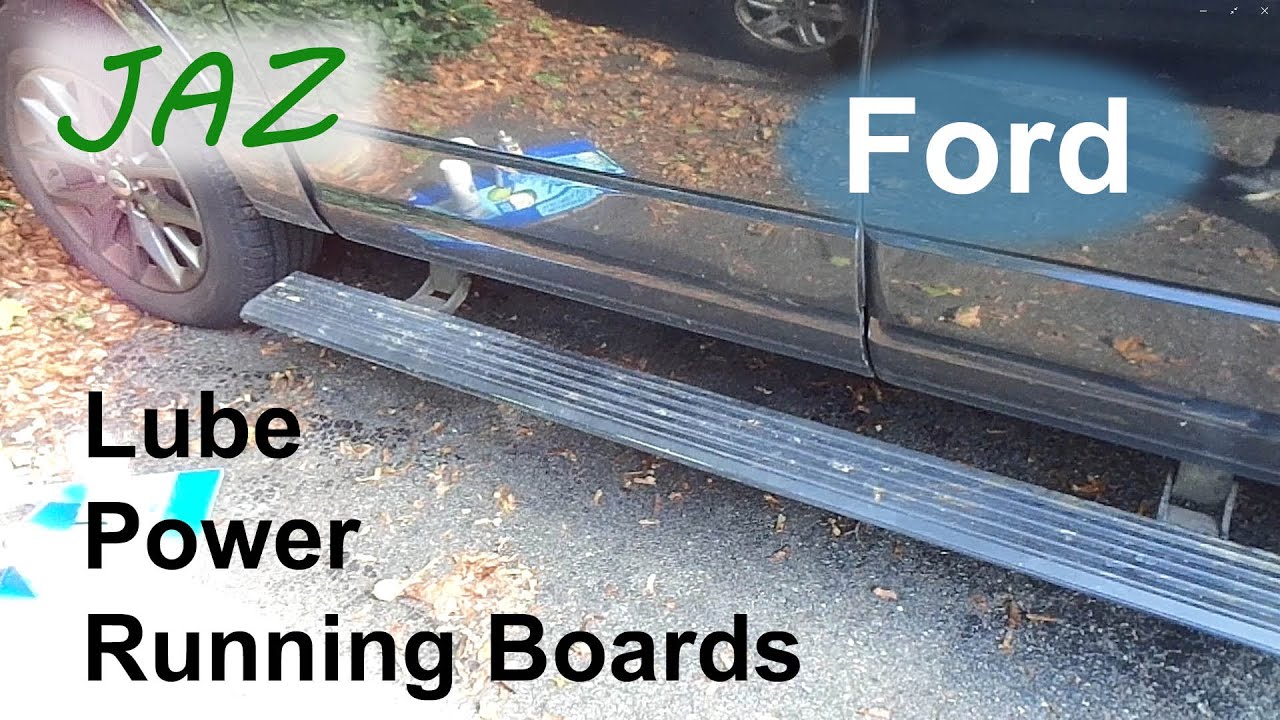
Dry or corroded joints cause resistance, triggering the board’s obstruction detection. This makes the system shut down to protect the motor.
Best Lubricants for F-150 Side Steps
Choose the right product for your situation:
- Sea Foam Deep Creep: Best for penetrating oil and freeing stuck mechanisms
- PB Blaster: Excellent for breaking down rust and grime
- WD-40 (Penetrant formula): Good for flushing debris, not for long-term lubrication
- Silicone or Teflon dry lube: Best for ongoing maintenance and won’t attract dirt
Step-by-Step Lubrication
Spray liberally at all pivot points including front and rear hinge pins, linkage arms, and motor gear housing. Let the lubricant sit overnight or up to 3 days if severely seized. Manually push the step down and lift it up repeatedly to work in the oil. Open and close the door to activate the motor while assisting motion. Some owners pressure wash while cycling the boards, then apply PB Blaster and chain lube for best results.
Test Motor with Direct Power
If the board still won’t move after cleaning and lubrication, test the motor independently to determine if replacement is needed.
How to Bypass the System
Locate the motor mounted near the frame rail. Disconnect the wiring harness. Use jumper wires to apply 12V power from the battery, connecting positive to positive and negative to negative. Listen for these sounds:
- Humming: Motor works properly
- Clicking or grinding: Motor is failing
- No sound: Dead motor or wiring issue
Don’t hold power longer than 2–3 seconds to avoid overheating the motor.
Replace Motor If Dead
OEM motors cost $300–$400. Aftermarket options are cheaper on eBay. Installation is moderate difficulty and requires a socket set and patience.
Diagnose One-Side Failure
Only the driver’s or passenger’s side stuck? This usually means a localized issue rather than a system-wide failure.
Likely Causes
These are the most common reasons for one-sided problems:
- Side-specific dirt buildup (common in snowy climates)
- Damaged wiring harness on one side
- Failed motor on one side
- Loose connector near frame rail
Quick Diagnosis
Compare motor sounds when opening each door. Swap connectors if they’re identical to test motor response. Inspect wiring for chafing or corrosion. One owner reported that passenger side failed due to mud-packed hinge—cleaning and lubing fixed it in 20 minutes.
Decode Delayed or Intermittent Operation
Sometimes the boards retract immediately. Other times they wait until the truck hits 9–15 mph.
Is This Normal?
Yes. The control module uses adaptive algorithms based on door status, vehicle speed, and transmission gear. This isn’t a malfunction—it’s intentional safety logic to prevent deployment while driving.
When to Worry
These symptoms indicate a real problem:
- Delayed retraction even when parked
- Boards stay down indefinitely after closing doors
- Failure to deploy when door opens
These point to binding, low voltage, or software glitch.
Update Software and Check TSBs
Ford has released updates to improve power running board behavior.
How to Check for Updates
Use the FordPass app. Tap Vehicle, then Software Updates. Install if available. You can also visit your local dealership—they can flash the BCM or gateway module.
One owner confirmed that a software update resolved erratic deployment and retraction issues on 2021+ PowerBoost models.
Review Ford TSB GSB 18-7081
This technical service bulletin was issued on December 6, 2018. Title: “Power Running Board (PRB) Deployment Concerns.” It contains diagnostic flowcharts, common fixes, and wiring diagrams. Ask your mechanic or dealership to reference it during service.
Prevent Future Failures
Don’t wait for failure. Protect your investment with routine care.
Maintenance Schedule
Perform these tasks regularly:
- Clean linkage system: Every 3–6 months
- Apply penetrating lube: Every 6 months
- Inspect for ice/snow: Weekly in winter
- Check infotainment settings: After any battery work
- Undercarriage wash: Monthly in salt-heavy regions
One owner reported no issues at 120,000 miles and 6 years thanks to annual cleaning and greasing.
Permanent Fixes and Upgrades
Tired of constant maintenance? Consider long-term solutions.
Option 1: Unplug and Fix Position
Keep the board extended by unplugging the motor—it stays down. Or keep it retracted by manually pushing it up, then unplugging—the board stays up. This is simple, free, and prevents further strain on the system.
Option 2: Replace with Static Running Boards
Many owners remove power boards and install Ford factory oval steps. Benefits include zero electrical issues, protection from dings and rock chips, lower profile than power boards, and easy cleaning.
Cost-Saving Summary
Replacing power running boards costs $2,500–$3,000. But most problems aren’t hardware failures.
Most Common Causes and Fixes
| Cause | Fix | Cost |
|---|---|---|
| Battery reset | Reset in infotainment | $0 |
| Dirt/ice buildup | Clean with hose or air | $0–$10 |
| Dry hinges | Lubricate with PB Blaster | $5–$15 |
| Blown fuse | Replace Fuse #50 | $5 |
| Motor failure | Replace motor | $300+ |
| Full replacement | Install static boards | $200–$500 |
Try non-invasive fixes first. Cleaning, lubrication, and resetting settings solve the vast majority of cases.
Final Checklist: Fix F-150 Side Steps in 10 Steps
Use this checklist to systematically diagnose and fix your side steps:
- Reset settings: Infotainment, Settings, Vehicle, Running Boards, Auto
- Check Fuse #50 (30A) in engine bay fuse box
- Inspect for ice, mud, or debris around hinges
- Flush mechanism with water or compressed air
- Apply penetrating oil (Sea Foam Deep Creep or PB Blaster)
- Work the linkage manually while testing door cycles
- Test motor with direct 12V power
- Wipe excess lube and clean step surface with brake cleaner
- Check for software updates via FordPass or dealer
- Consult TSB GSB 18-7081 if issue persists
Frequently Asked Questions About Ford F-150 Side Steps Not Working
Why do my power running boards stop working after battery replacement?
After a dead battery or jump start, Ford’s body control module enters a low-power state that disables non-essential accessories like power running boards. The system doesn’t automatically re-enable them—you must reset the setting to “Auto” through the infotainment menu.
How do I reset my F-150 running board settings?
Start the engine, tap Settings on the touchscreen, go to Advanced Settings, select Vehicle, find Power Running Boards, and change the setting from Off to Auto.
Why does only one side of my side steps work?
One-sided failure typically indicates localized contamination, a damaged wiring harness, or a failed motor on that specific side. Clean the hinges and pivot points first—this resolves most cases.
Can I drive with power running boards stuck in the down position?
Yes, but it’s not ideal. Extended boards can catch on obstacles and may suffer damage. Try the troubleshooting steps in this guide or fix them in the retracted position by unplugging the motor.
What is the most common cause of power running board failure?
The most common cause is software settings being disabled after battery service. The second most common is mechanical binding from dirt, mud, ice, or lack of lubrication.
How much does it cost to replace a failed power running board motor?
OEM replacement motors cost $300–$400. Aftermarket options are available for less. Full system replacement can cost $2,500–$3,000, so try cleaning and lubrication first.
Key Takeaways for Fixing Ford F-150 Side Steps
Don’t let stuck side steps ruin your F-150 experience. With a little time and the right steps, you can restore smooth, automatic operation—or choose a more reliable permanent solution. Most fixes take under an hour and cost less than $20.
Start with the software reset—it’s the fastest, most overlooked fix. Then clean, lubricate, and protect your system. Your truck will thank you.
The three most important things to remember are: always reset settings after battery service, clean and lubricate the mechanism every 3–6 months, and try non-invasive fixes before considering expensive replacements. If your F-150 side steps not working, follow this guide in order and you’ll likely have them functioning again without spending hundreds of dollars at the mechanic.