
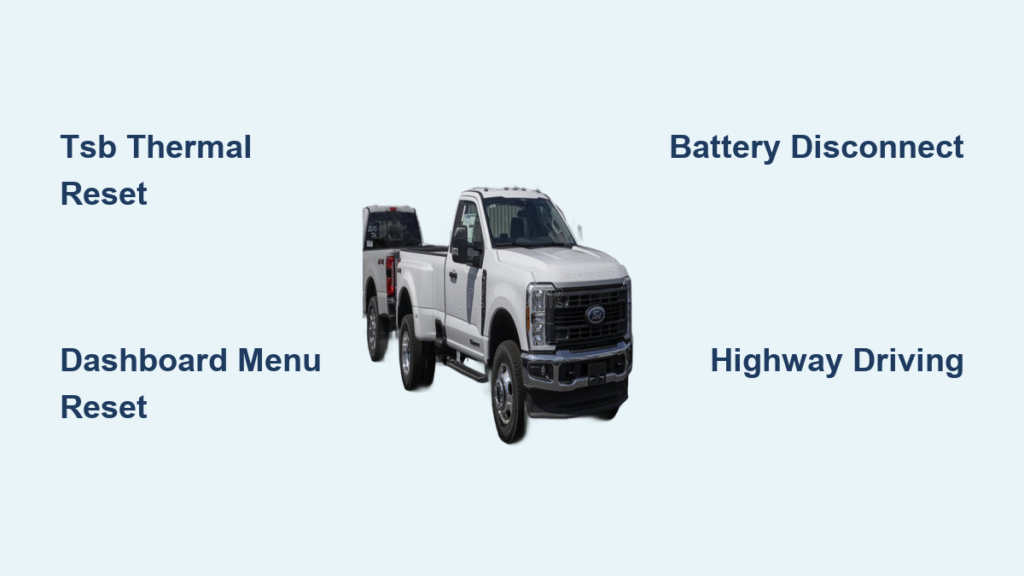
Your Ford F-350 suddenly drops to 50 mph, the DEF light flashes, and a beeping alert won’t quit. You check the tank and it’s still half full. This frustrating situation affects many 6.7L Power Stroke owners, and the cause is rarely what you’d expect. Knowing how to reset DEF on Ford F-350 trucks properly saves time, money, and towing fees.
This guide walks you through every proven reset method, from the official TSB thermal procedure to simple dashboard menu fixes. You’ll learn when driving alone solves the problem and when deeper hardware issues require dealer attention.
Identify DEF Warning Signs on Your F-350
Recognize Limp Mode Triggers
Your truck activates a protective speed limit when the DEF system logs a fault. Watch for these signs:
- Speed capped at 50 mph
- Flashing DEF warning on the dash
- Continuous beeping alerts
- “23 miles until limp mode” countdown
- DEF tank over half full yet warning active
This is not just a low-fluid alert. Many owners top off the tank, restart the truck, and watch the fault return within minutes.
Understand the “Idle Nightmare” Fault
A known issue affects 2014–2022 F-250 and F-350 trucks with the 6.7L Power Stroke diesel. The truck stays stuck at 50 mph despite adequate DEF and zero stored fault codes. This condition is a system logic error caused by an incomplete DPF regeneration cycle. The exhaust never reached the temperature needed for cleanup, so the ECU assumes a fault exists.
Critical clue: No OBD-II codes appear. Standard resets fail. Only a full thermal reset clears the limiter.
Run the TSB Reset Procedure for No-Code Limp Mode
Ford’s Technical Service Bulletin outlines the most reliable fix for no-code limp mode. This method forces the system to recognize regeneration and clear the fault flag.
Heat Exhaust to 440–450°F
The core of this reset is raising exhaust gas temperature high enough to trigger DEF injection.
- Start the engine and drive in a lower gear
- Hold 2,800–3,000 RPM
- Monitor EGT14 (primary sensor) with a scan tool
- Wait until all three EGT sensors read 440–450°F (227–232°C)
Pro Tip: Never guess the temperature. Without a scan tool, the reset will fail. The system needs verified heat before it injects DEF into the DPF.
Shut Off and Restart After Two Minutes
Once target temperature is confirmed:
- Pull over safely and shut off the engine
- Wait exactly two minutes
- Restart the engine
Check your scan tool immediately. The DEF injector duty cycle should activate within 30 seconds and remain active for at least five minutes. If no duty cycle appears, repeat the heating process. The system has not yet recognized the thermal event.
Complete Eight Wide-Open Throttle Runs
With the injector confirmed working:
- Accelerate to 50–60 mph using full throttle
- Return to idle after each run
- Repeat at least eight times
These aggressive accelerations boost soot burn-off in the DPF and confirm regeneration completion.
Avoid: Short bursts or partial throttle applications. Full WOT is required every time.
Idle Thirty Minutes to Finalize Reset
After completing the WOT runs:
- Park the truck and let it idle for 30 minutes
- Do not shut off or interrupt the engine
This final idle phase lets the ECU verify regeneration success and clear the fault flag. Within 10–15 minutes, the 50 mph limiter should lift and the DEF warning disappears.
Use the Dashboard Menu Reset
For standard DEF warnings without the no-code limp mode, a simple menu reset often works.
Access the Service Menu
- Turn the key to Accessory mode without starting the engine
- Wait for the instrument cluster to fully power on
- Press OK on the steering wheel to enter the menu
- Navigate to Vehicle, then Service Menu, then Diesel Emissions System
- Select Reset DEF Warning
- Confirm and exit the menu
This clears the warning counter but does not fix mechanical problems hiding beneath the surface.
When the Reset Fails Immediately
If the DEF light returns right after confirming the reset:
- Check actual DEF level and top off if below 25%
- Inspect for leaks or clogged lines under the truck
- Scan for hidden codes like P209A or P2096
- Check whether the DEF pump relay recall applies to your VIN
A failed reset often signals hardware failure rather than a simple software flag.
Try a Battery Disconnect Reset
Stubborn electronic glitches sometimes respond to a full system reboot through battery disconnection.
Disconnect Both Batteries
- Turn off the truck and remove the key
- Disconnect both batteries (the F-350 uses a dual setup)
- Wait 15 minutes
- Reconnect terminals securely
This clears temporary ECU memory and resets emission modules.
Bonus Tip: Press and hold the brake pedal for 30 seconds after reconnecting. This drains residual power and improves reset success rates.
Know the Limitations
Battery disconnect works best when:
- No active regeneration is running
- No mechanical faults exist
- The issue is software-related, such as a corrupted flag
It will not fix clogged injectors, failed sensors, or damaged wiring.
Let Highway Driving Clear the Fault
Many DEF faults resolve themselves when you simply keep driving.
Drive 20–30 Miles at Steady Speed
- Maintain 45–60 mph consistently
- Keep RPM around 2,500
- Let engine oil reach 200°F
- Drive continuously for 15–30 miles
This allows the system to:
- Heat up the DEF tank and supply lines
- Clear minor clogs in the injector
- Complete passive regeneration
- Reinitialize the emissions system
Real-World Result: Over 70% of drivers report the 50 mph limiter lifts within 20 miles of steady highway driving.
Why Driving Works
Low-speed city driving never generates enough heat for DPF regeneration. The system logs a “regeneration overdue” fault and applies the speed limit. Once highway conditions return, the ECU triggers cleanup and often clears the fault automatically.
Key Advice: Don’t panic and shut off the truck mid-drive. Keep moving and let the system finish its cycle.
Diagnose Persistent DEF Issues

If the fault keeps returning after multiple reset attempts, deeper troubleshooting is needed.
Scan for Stored Fault Codes
Use an OBD-II scanner to pull codes. Common DEF-related codes include:
- P209A: Post Catalyst Fuel Trim System Too Rich
- P2096: Post Catalyst Fuel Trim System Too Lean
- U0100: Lost Communication with DEF Module
Clear all active and pending codes, then take a 10-minute highway drive. If codes return, hardware inspection is the next step.
Inspect DEF System Components
Check under the truck, especially on the driver’s side near the rear fuel tank:
- DEF hoses for cracks or leaks
- Heater lines for damage or disconnection
- Pump connector for firm seating
- Wiring harness for rodent damage or chafing
A loose connector is one of the most common culprits behind recurring faults.
Address the DEF Pump Relay Recall
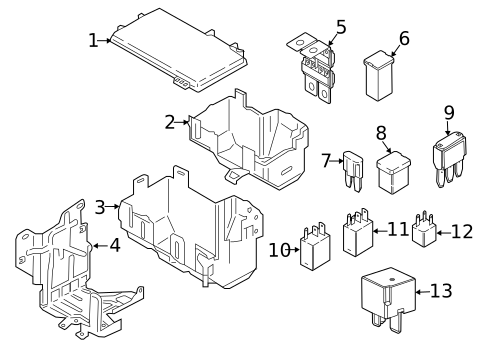
Ford issued Recall 2019-003 covering a faulty DEF pump relay on certain models.
Confirm Your Recall Status
- Visit Ford Owner and enter your VIN
- Call your local dealer with your VIN ready
- The repair is free and typically takes under an hour
Symptoms of a Bad Relay
- Intermittent DEF warnings with no clear cause
- Pump failing to activate
- False low-fluid alerts
- Repeated failed regeneration attempts
Many owners resolve the “idle nightmare” permanently after this recall repair.
Maintain Your DEF System Properly
Prevention beats repair every time. Keep your system running smoothly with these habits.
Use the Correct DEF Fluid
- Only use DIN 70070-compliant DEF
- Choose OEM or API-certified brands
- Never substitute diesel, water, or windshield washer fluid
Contamination destroys the SCR system and triggers expensive repairs. Avoid cheap aftermarket fluids sold at gas stations.
Prevent Cold Weather Issues
DEF freezes at 12°F (-11°C), but the system includes a built-in heater.
- Park in a garage whenever possible
- Use DEF with anti-gel additives in extreme cold
- Allow extra warm-up time before driving in winter
Frozen DEF lines can trigger false faults even when fluid levels are correct.
Keep the Tank Above 25%
Running DEF below 25% increases fault risk and interrupts regeneration cycles.
- Refill before the warning appears
- Top off during routine oil changes
- Don’t wait for the “Add DEF” message
Know When to Visit a Dealer
Some issues require professional diagnostic tools and factory software.
Seek Dealer Support If:
- The TSB reset fails after multiple attempts
- Fault codes persist after clearing
- The DEF pump is not activating
- The recall repair has not been performed
Dealers have access to Ford IDS diagnostic software, recall parts in stock, and module reprogramming tools. Many fixes are free under warranty or active recall coverage.
Frequently Asked Questions About Resetting DEF on Ford F-350
Can I reset DEF on Ford F-350 without a scan tool?
Yes, but only for standard warnings. The dashboard menu reset works without equipment. However, the TSB thermal procedure requires a scan tool to verify EGT temperatures and injector duty cycle.
Why does my F-350 say DEF is low when the tank is full?
This usually points to the “idle nightmare” fault or a failed DEF pump relay. The system logic error triggers false low-fluid warnings even when the tank is over half full.
How long does the TSB reset procedure take?
The full procedure takes roughly 45–60 minutes. This includes the heating phase, two-minute shutdown, eight WOT accelerations, and the 30-minute final idle.
Will disconnecting the battery clear the DEF fault?
Sometimes. Battery disconnection clears temporary ECU memory and may resolve software glitches. It will not fix mechanical issues like clogged injectors or failed sensors.
Is it legal to delete the DEF system?
No. Federal law prohibits emissions defeat devices. Deletion voids your warranty, risks fines up to $45,000, and can cause engine damage from unburned soot accumulation.
What is the DEF pump relay recall?
Recall 2019-003 covers a faulty DEF pump relay on certain Ford trucks. The repair is free at any Ford dealer and often resolves recurring false DEF warnings.
Final Takeaways for Resetting DEF on Your Ford F-350
Resetting DEF on Ford F-350 trucks is rarely about refilling fluid. The most common cause is an incomplete regeneration cycle, not low DEF. Match your reset method to your symptoms. Use the TSB thermal procedure for no-code limp mode, the dashboard menu for simple warnings, and steady highway driving for minor faults.
Before any reset attempt, confirm your DEF tank is at least half full, battery voltage sits above 12.4V, and no visible leaks exist. Check your VIN against Recall 2019-003 and schedule the free repair if applicable. With the right approach, you can clear the 50 mph limit and restore full power without a dealership visit.


