
If your Ford F-150 is not opening the garage door with the overhead console button, you are not alone. Many F-150 owners struggle with programming the HomeLink system to sync with modern garage door openers, especially newer rolling-code models. The issue often lies not in the truck, but in outdated or incomplete instructions in the manual. This guide provides proven, step-by-step instructions for connecting your F-150 garage door opener, including troubleshooting tips, brand-specific fixes, and real user-tested solutions.
Clear F-150 HomeLink Memory Before Programming
Before programming, always reset existing codes. Leftover settings can block new devices and cause programming failures.
Reset All HomeLink Buttons
- Turn ignition to ON or RUN (engine off or on works).
- Press and hold Button 1 and Button 3 (the two outer buttons).
- Hold for 5 to 30 seconds until the indicator LED flashes rapidly.
- Release when flashing turns fast, which means memory is cleared.
Visual cue: Slow blink means the system is still resetting. Rapid flash means it is ready for programming.
Older F-150 Models with Car2U System
Some early F-150 models (pre-2007) use the Car2U system instead of HomeLink. This system has three individual lights (one per button) rather than one shared indicator. Hold both outer buttons for 30 seconds until all lights flash rapidly. These older systems are less intuitive and may require dealer support if they become unresponsive.
Prepare Your F-150 and Garage Door Opener
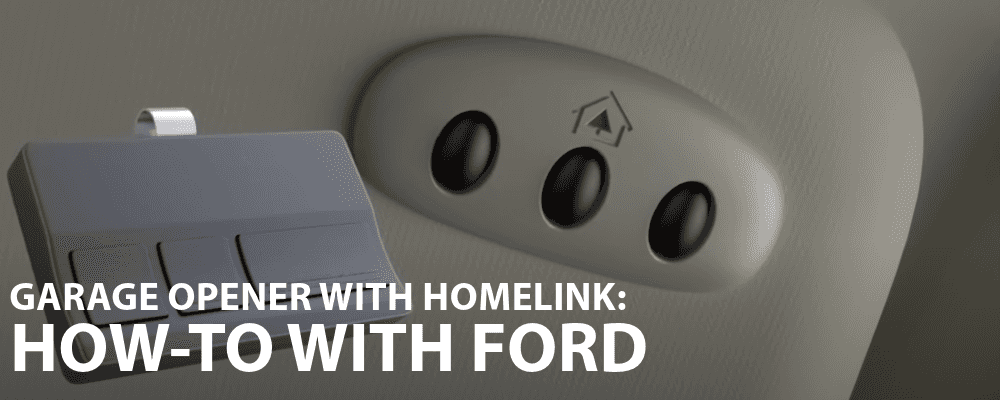
Skipping preparation leads to failed programming attempts. Follow these steps to maximize signal clarity and success.
Position the Truck Correctly
Park the F-150 within 1 to 3 feet (30 to 90 cm) of the garage door. Keep the vehicle in PARK with the parking brake engaged. Ensure the ignition is ON or in RUN mode. The engine does not need to run, but power must be live for HomeLink to function.
Gather Required Tools
You need a working handheld garage remote with fresh batteries. You also need access to the garage door opener motor unit (ceiling-mounted) to reach the Learn, Smart, or Program button. Use a ladder if needed to reach the motor housing.
Confirm Your Opener Type
Not all garage door openers work the same way with HomeLink.
Fixed-Code vs. Rolling-Code Systems
| Opener Type | Year Introduced | Has Learn Button | HomeLink Method |
|---|---|---|---|
| Fixed-Code | Pre-1996 | No | Clone remote only |
| Rolling-Code | Post-1996 | Yes | Clone plus Learn button sync |
If your opener has no Learn button, it likely uses fixed-code technology. You will need to use direct remote cloning without the Learn button step.
Smart Openers (MyQ, Wi-Fi-Only)
Chamberlain MyQ and similar smart openers only work with F-150 HomeLink if they support RF remotes. Wi-Fi-only models without physical remote capability cannot be programmed directly because HomeLink cannot learn app-based signals. Fix this by installing a MyQ Gateway that emits an RF signal detectable by HomeLink.
Security+ 2.0 Compatibility Issues
Openers with Security+ 2.0 (post-2011) may not work with F-150s from 2013 or earlier. This is a verified issue where a 2013 F-150 failed to pair despite working perfectly with older openers.
Program F-150 HomeLink to Garage Door Remote
Now pair the remote signal with your chosen HomeLink button. This process works for both fixed-code and rolling-code openers.
Step 1: Capture the Remote Signal
- Select your preferred HomeLink button (center button works well for main garage).
- Hold the handheld remote 1 to 3 inches away from the button.
- Press and hold both the HomeLink button and the remote button at the same time.
- Keep holding until the LED changes from slow blink to solid light or rapid flash (takes 10 to 30 seconds).
Pro Tip: Use a remote with brand-new batteries. Weak power during programming causes failed signal capture more often than any other issue.
Step 2: Sync with Rolling-Code Opener
If your opener uses rolling code, you must complete the synchronization via the Learn button after capturing the remote signal.
Locate the Learn Button
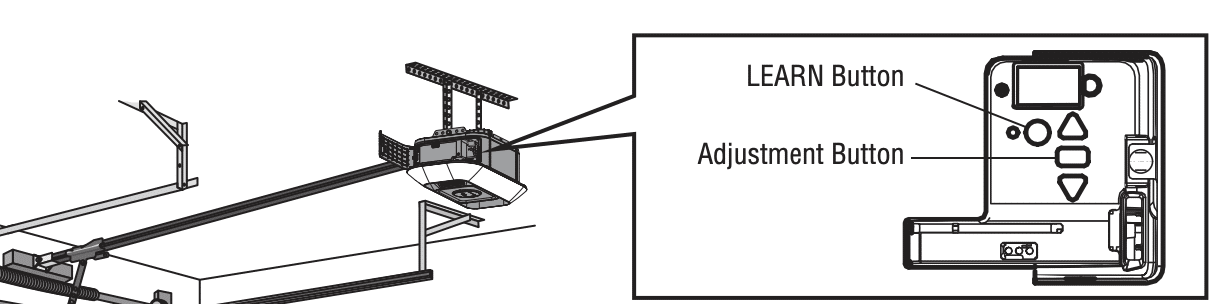
Find the Learn button on the motor housing near the antenna wire. It may be labeled Learn, Smart, or Program and might be under a small cover. Do NOT hold this button down. Only press and release it.
Complete the Sync
- Press and release the Learn button on the opener motor.
- Wait for LED feedback (for example, Genie openers cycle through green, blue, then purple).
- Return to the F-150 within 20 to 30 seconds.
- Press the programmed HomeLink button once, wait 2 seconds, press again, and repeat up to three times.
- If the garage door moves (opens, closes, or reverses), pairing is successful.
User Confirmed: After years of failed attempts, the triple-press technique worked for multiple F-150 owners.
Fix Common HomeLink Sync Failures
Even with correct steps, issues can arise. Here is how to fix the most frequent problems.
Garage Door Does Not Respond
Common causes and fixes
Low remote battery is the number one cause. Replace before reprogramming. The truck might be too far away, so move within 3 feet of the door. You may have held the Learn button too long. Only press and release it. Holding for more than 5 seconds erases all paired remotes. Timing may have expired, so re-press Learn and return to the truck immediately. The sync might be incomplete, so try pressing HomeLink 2 to 3 times after Learn activation.
Other Remotes Stopped Working
If other remotes stopped functioning after programming your F-150, you likely held the Learn button too long and wiped all devices. Fix this by pressing Learn briefly to add a new remote without erasing others. This logic applies to LiftMaster, Chamberlain, and Craftsman openers.
Expert Note: Momentarily press Learn to add a device. Hold it to erase all devices.
Ford Manual Instructions Do Not Work
Ford manuals often omit the Learn button step entirely, which dooms programming to failure. They also do not distinguish between fixed-code and rolling-code systems. Use Genie or Chamberlain official programming guides instead. These manufacturer guides are more accurate and detailed.
Use the Reverse Programming Method
When standard synchronization fails, try this reverse technique. It has been verified across multiple brands and vehicle types.
Reverse Sync Steps
- In the F-150, press and hold the programmed HomeLink button.
- While holding it, go to the opener and press and release the Learn button.
- Return to the truck and release the HomeLink button.
- Press it one more time.
- The door should respond.
This works because it forces the opener to accept the signal during active transmission rather than waiting for a signal.
Fix Door That Opens But Will Not Close
This common issue often stems from LED light interference rather than a programming problem.
Diagnose the Problem
If the door opens via HomeLink but will not close, check the safety sensors first. But if the handheld remote also fails to close the door, the issue is likely RF interference rather than a sensor problem.
Replace Interfering LED Bulbs
Some LED bulbs installed in garage door openers emit radio frequency noise that disrupts signals. Fix this by replacing LED bulbs with incandescent bulbs or RF-shielded LEDs labeled as garage door compatible. One F-150 owner resolved the issue after swapping bulbs, and the door closed reliably ever since.
Brand-Specific Programming Tips
Each garage door opener brand has unique quirks. Use these tips to avoid frustration.
Genie Openers
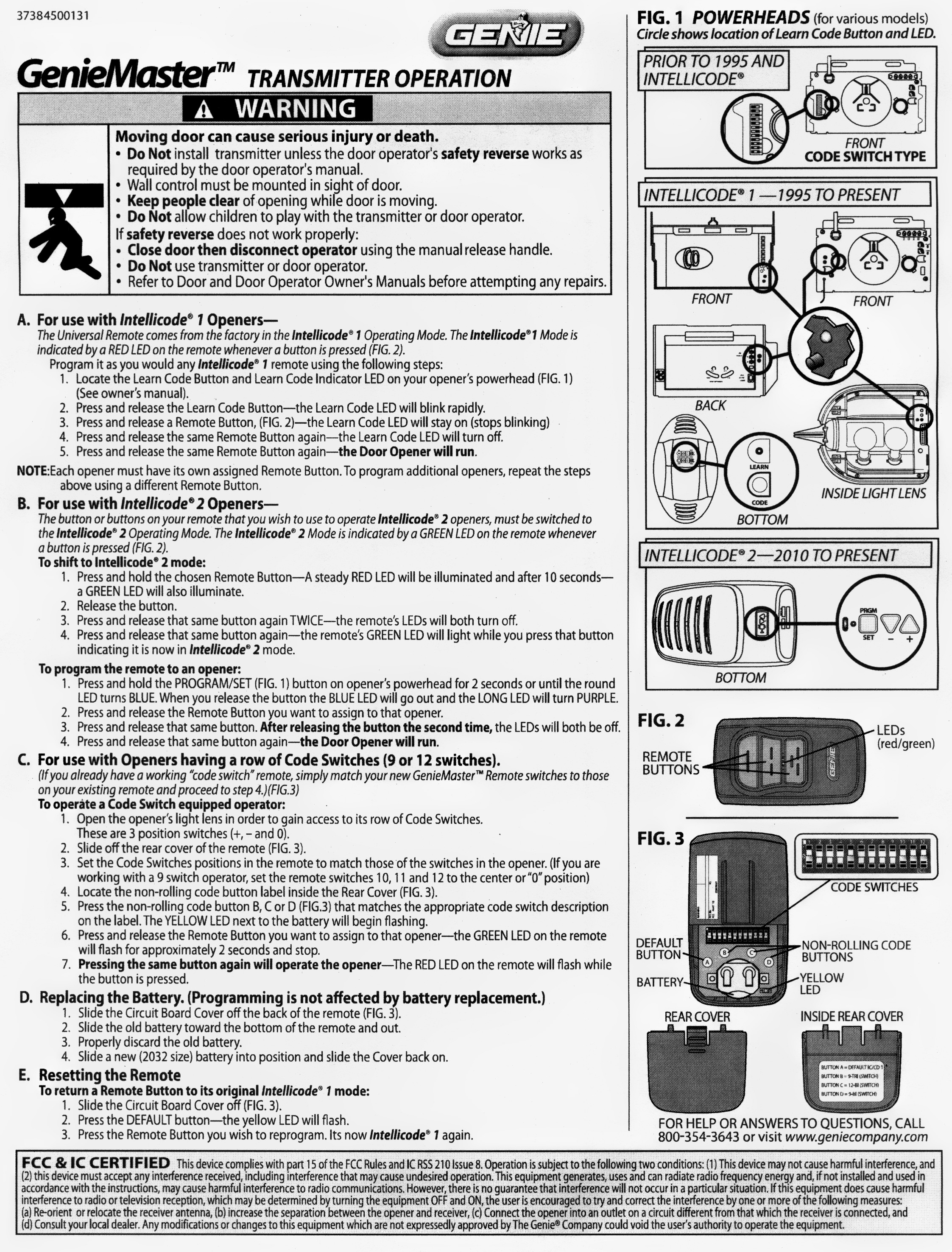
Older Intellicode 1 models will not pair without pressing the Learn button first. After pressing Learn, wait for the LED color cycle: green, then blue, then purple. Press HomeLink during the purple phase for best results.
LiftMaster and Chamberlain
Use the Learn button and press and release it to add devices. Holding it erases all remotes, so avoid this. Firmware updates can improve HomeLink compatibility over time.
Craftsman
Follow the same process as LiftMaster since they share the same parent company. No special steps are required beyond standard rolling-code programming.
Linear or Securing Openers
These brands may require holding the HomeLink button for 5 or more seconds during final synchronization. Test longer presses if the standard method fails.
Overhead Door Legacy Models
Pre-2000 models likely use fixed-code technology. Try direct remote cloning without the Learn button step.
Interpret HomeLink Indicator Lights
The LED tells you what is happening during programming. Learn these patterns to diagnose issues.
| Light Behavior | Meaning |
|---|---|
| Slow Flash | Programming started |
| Rapid Flash | Memory clearing or signal learning |
| Solid Light | Programming successful (some models) |
| No Light | System inactive, power issue, or faulty module |
Note: Behavior varies by F-150 model year. Check your specific manual for details.
Homelink vs. Car2U: Homelink systems have one shared light above the buttons. Car2U systems (older F-150s) have three individual lights, one per button.
Test and Validate the Connection
Do not assume it works. Test thoroughly from multiple distances and positions.
Functional Test Steps
- Press the HomeLink button once. The door should respond.
- Test from inside the garage, at the driveway entrance, and up to 100 feet away.
- Confirm both open and close functions work reliably.
- If the door moves slightly then stops, reprogram. This indicates incomplete sync or interference.
Maintenance Tip: Test monthly to catch issues early before they become bigger problems.
Reprogram After Power Outages
Some garage door openers lose paired devices after power failures. HomeLink memory in the F-150 is retained even after battery disconnect, so you may only need to resync.
Recovery Steps
- Press the Learn button on the opener.
- Return to the F-150 and press the HomeLink button 1 to 3 times.
- The door should respond without needing full reprogramming.
Program Multiple Devices to F-150 HomeLink
Use all three HomeLink buttons for full home automation convenience.
Recommended Setup
Button 1 works best for your primary garage door. Button 2 handles secondary doors or gates. Button 3 is ideal for home lights, security gates, or RF-controlled fans. Each device must be programmed separately using the same steps outlined above.
Get Professional Help When DIY Fails
If nothing works after trying all methods, professional support is available.
Visit a Ford Dealer
Ford technicians can test HomeLink module functionality, check for software updates affecting wireless systems, and diagnose wiring or console issues. Some dealers offer free HomeLink programming as a customer service. Wendle Ford in Spokane is one example known for providing this support.
Contact HomeLink Support
Call HomeLink Customer Service for custom programming sequences if standard methods fail. One successful custom sequence involves clearing memory, then pressing buttons in this order: Left, Right, Left, Right, Middle, then both outer buttons again, followed by pressing the Learn button on the opener.
Frequently Asked Questions About F-150 Garage Door Opener Programming
Can I Program HomeLink Without the Original Remote?
No. You need a working handheld remote to capture the RF signal. Buy a compatible replacement if your original is lost.
How Do I Know If My Opener Uses Rolling Code?
If your garage door opener was manufactured after 1996, it likely uses rolling code. If it has a Learn, Smart, or Program button, it definitely uses rolling code.
Will HomeLink Work With Smart Garage Systems Like MyQ?
HomeLink works only if the smart system supports RF remotes. Wi-Fi-only systems without remote capability require a bridge device like MyQ Gateway to emit an RF signal.
Why Does HomeLink Stop Working After a Few Days?
Common causes include LED bulb interference in the garage door opener, weak remote battery used during programming, power outage that reset the opener, or a faulty HomeLink module in the vehicle.
Does the Engine Need to Be Running?
No. The ignition must be ON or RUN, but the engine does not need to run. Some users report better success with the engine running, so try both if needed.
Key Takeaways for Programming Your F-150 Garage Door Opener
The most critical success factors are clearing memory first, using fresh remote batteries, pressing (not holding) the Learn button, and acting within 20 to 30 seconds after activation. Replace any LED bulbs in your garage door opener that cause RF interference. Try the reverse programming method if standard steps fail. If all else fails, visit your Ford dealer for professional programming assistance or contact HomeLink directly for custom sequences.
With the right steps, your F-150 garage door opener will work seamlessly, eliminating the need to fumble for remotes every time you come home.


