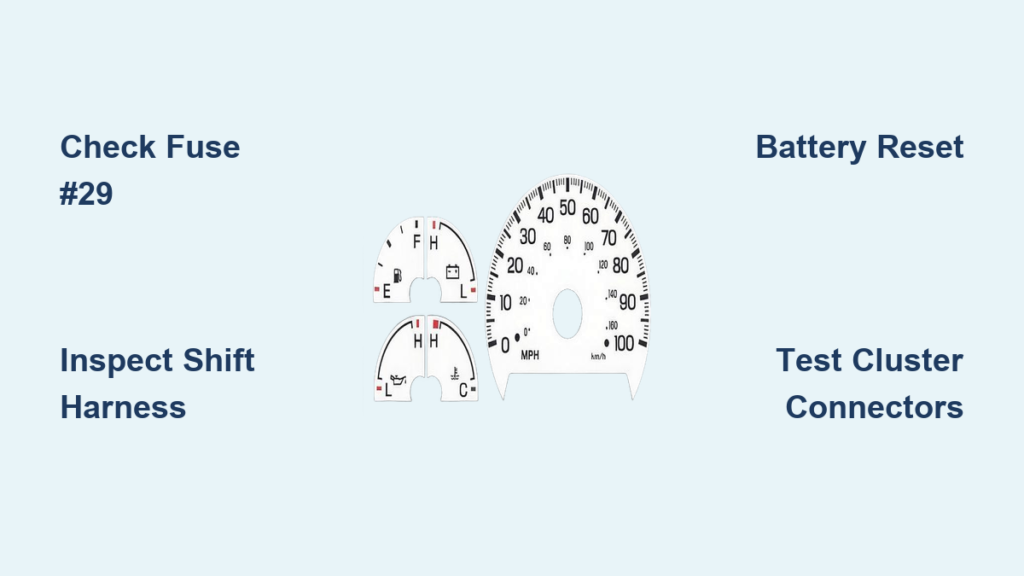
If your Ford F150 dash screen not working, you’re not alone. From sudden blackouts to frozen displays, thousands of owners across 2021–2024 models have reported instrument cluster failures, some at highway speeds. These aren’t isolated glitches. The issue spans gas, PowerBoost hybrid, and Lightning EV trims, affecting everything from speedometers to turn signal indicators. While Ford has yet to issue a formal recall, solutions exist. This guide breaks down every known cause and tested fix so you can get your dash back online and stay safe on the road.
Immediate Reset Methods That Work
When your F150 digital cluster goes dark or freezes, act fast. These resets restore function in most cases, even without tools.
Soft Reset the SYNC System
Press and hold Volume Down and Skip Forward on the steering wheel for 10 seconds. Release when the Ford logo appears. This restarts the infotainment system and often brings the dash screen back to life.
Some models require Power + Fast Forward instead. Hold both buttons for 5 seconds.
This targets SYNC, not the instrument cluster. If only the center screen works after reset, the IPC may need a deeper fix.
Ignition Cycle to Restore Display
Turn the truck off, wait 30 seconds, then restart. Many users saw the screen return within minutes. If that fails, lock the truck and walk away for 10 to 30 minutes. Letting the system fully sleep can clear electrical glitches.
Try ProPower Onboard Reset
One 2023 PowerBoost owner found the dash revived when they turned on ProPower Onboard with a shop vac plugged into the rear 110V outlet. Though counterintuitive, activating high-load circuits may trigger a system reboot. Try it if other resets fail.
Fuse Checks and Electrical Resets
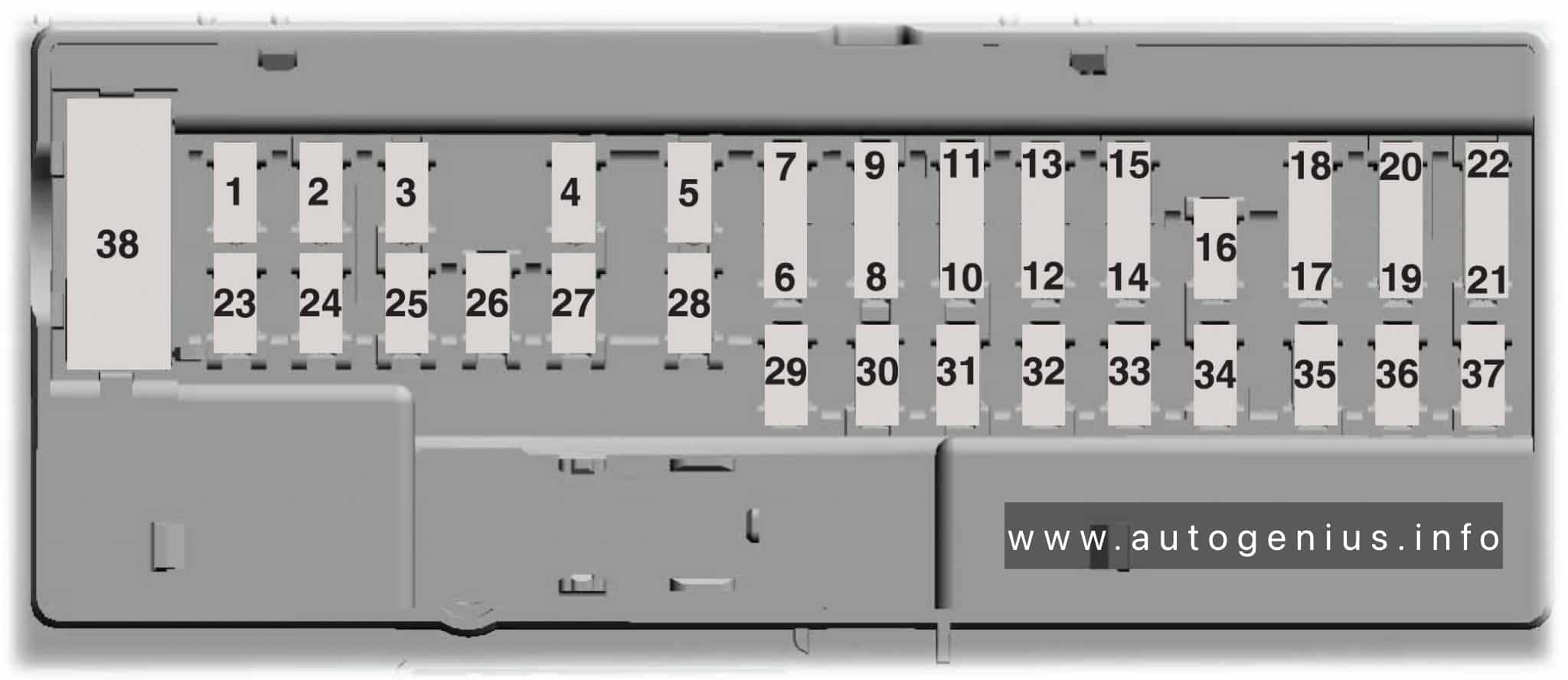
Most dash screen failures stem from power hiccups. A loose fuse or weak connection can kill the display, even if no fuse is blown.
Locate the 10-Amp Infotainment Fuse
Open the passenger-side fuse box under the dash. Find the 10-amp fuse directly above fuses 33 and 20. It powers the infotainment and often the IPC.
Pull it out, wait 1 second, then reinsert. Even if intact, reseating can fix intermittent faults.
Reset Side Panel Fuses
On the side of the interior panel, find the secondary fuse block with two large white-lever fuses. Press the tab, remove both, wait a few seconds, then reinsert.
This acts like a partial battery disconnect. No tools needed. Users report this fix works more reliably than soft resets.
Test with 20-Amp Fuse Removal
To confirm the system responds, pull the 20-amp fuse. The radio powers off but the screen stays lit. Reinsert and the radio should return. Repeat with the 10-amp fuse. If behavior is consistent, the circuit is functional.
Battery Disconnect for Full System Reset
When soft resets fail, a battery disconnect often works, especially for PowerBoost and Lightning models.
Standard 12V Battery Reset
For gas models, turn off the truck. Open the frunk and disconnect the negative terminal. Wait 5 to 30 minutes. Thirty is ideal. Reconnect and start the engine.
One user fixed a frozen screen this way after 30 minutes of mowing.
PowerBoost and Lightning: Disconnect All Three Batteries
These models have one 12V auxiliary battery in the frunk and two high-voltage auxiliary batteries under the floor. A mobile Ford tech fixed a 2023 PowerBoost by disconnecting all three. You will likely need a dealer for this, but it is covered under warranty.
After reset, reconfigure driver settings, clock, and display preferences. They often reset.
Software and Firmware Fixes
Many blackouts stem from outdated or corrupted software, not hardware.
Check for OTA Updates
Ford pushes over-the-air updates to fix known bugs. One mechanic confirmed a 2024 F150 screen issue was resolved via software update.
Go to Settings > System > Software Update. If an update is pending, install it, even if the screen is working. Preventive updates reduce future failures.
Wait for Ford Next OTA Release
Users noted gaps of 9 to 12 months between updates. If your truck has not updated recently, a fix may be coming. Monitor forums and Ford official channels.
Use FORScan to Reset IPC Module
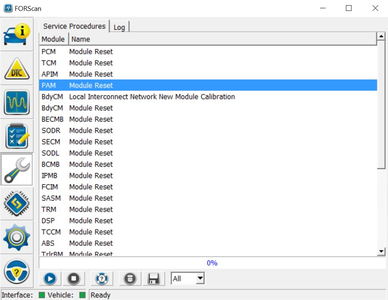
Advanced users can use FORScan, an OBD2 tool with software, to directly reset the Instrument Panel Cluster.
Plug in a FORScan-compatible adapter. Open the software and connect to the vehicle. Navigate to Body > IPC > Module Reset. This bypasses SYNC and targets the root cause.
Rule Out Accessory Interference
Faulty 12V devices can backfeed power and crash the IPC.
Unplug All 12V Devices
One owner fixed a black screen by removing a cigarette lighter phone charger. Others report issues from dash cams, inverters, or cheap USB adapters.
Unplug everything from 12V ports. Restart the truck. If the screen returns, test each device one by one.
Avoid Low-Quality Chargers
Cheap chargers lack voltage regulation. They can cause fluctuations that disrupt sensitive modules. Use Ford-approved or name-brand accessories only.
Dealer Visits: What to Expect
If resets fail or the issue returns, visit a Ford dealer armed with knowledge.
No DTCs: That Normal
Multiple users had no diagnostic trouble codes during scans. Dealers may say “no fault found.” Insist on a battery disconnect reset or software update even without codes.
Demand Software Update
Cite the 2024 F150 mechanic diagnosis. Ask if there is a pending update or internal bulletin for APIM or IPC instability.
Some dealers reference internal service bulletins for APIM issues. Push for them.
Document Everything
Video the failure. Log dates, speeds, and conditions. One user dealer said, “Keep driving until it happens again.” Documentation increases chances of getting parts replaced or a TSB issued.
Appointment Delays
Wait times can hit 2 to 3 weeks. If unsafe to drive, request a loaner or escalate via Ford customer service.
Model-Specific Risk Factors
The problem is not limited to one trim, but some models report it more.
PowerBoost and Lightning: Higher Risk
More electronics means more failure points. ProPower Onboard may trigger voltage swings. Three batteries complicate resets. High electrical load from hybrid systems stresses the IPC.
Still, gas models with 5.0L Coyote are affected too. No powertrain is immune.
Trims Affected: All Major Variants
Reports span XL work trucks, XLT, Lariat, King Ranch, Platinum, STX, and Lightning variants. Digital clusters became standard in 2021 and later, so older analog models are not impacted.
Safety and Reliability Concerns
A dead dash is not just annoying. It is dangerous.
Driving Without Speed or Gear Indicators
Losing the speedometer at 70 mph or having the “D” light stay on when off creates real risks. Turn signals, battery status, and ABS warnings may also disappear.
No Recall But a Pattern Is Clear
Ford has not issued a recall or public TSB. But with reports across years, trims, and powertrains, this is a pattern failure. More pressure from owners could force action.
Long-Term Reliability Doubts
Users express concern. New trucks should not have critical electronic failures. Until Ford addresses root causes, expect intermittent issues.
Prevention and Maintenance Tips
Avoid future blackouts with these steps.
Perform Monthly Soft Resets
Even if working, reset SYNC every 4 to 6 weeks. This prevents software drift.
Keep 12V Battery Healthy
A weak battery causes voltage drops. Test it annually. Replace every 3 to 5 years.
Avoid Electrical Overload
Do not run high-draw accessories like heaters or compressors with ProPower Onboard for long periods. High load may destabilize the IPC.
Update Software Promptly
Install OTA updates as soon as they arrive. Do not wait.
Clean Fuse Contacts
Use electrical contact cleaner on fuse terminals yearly. This prevents corrosion and poor connections.
Frequently Asked Questions About Ford F150 Dash Screen Not Working
Why does my F150 dash screen go black while driving?
The most common causes are software glitches, power delivery anomalies, or IPC module instability. Sudden blackouts often stem from transient electrical faults that a reset can clear.
Can I fix a frozen dash screen myself?
Yes. Start with a soft reset by holding Volume Down and Skip Forward for 10 seconds. If that fails, try fuse cycling or a battery disconnect. Most fixes are doable at home.
Does Ford have a recall for this issue?
No recall has been issued as of 2024. However, the problem affects thousands of owners across multiple model years and trims, suggesting a pattern failure that may eventually trigger official action.
Which F150 models are most affected?
The issue appears across all 2021 to 2024 trims, including gas, PowerBoost hybrid, and Lightning EV. PowerBoost and Lightning models report higher frequency due to increased electronic complexity.
Will a dealer fix this under warranty?
Screen failures are likely covered under the basic 3-year/36,000-mile warranty or hybrid/electric component warranty. Document your issue with video and dates before your appointment.
How do I prevent my dash screen from failing again?
Perform monthly soft resets, keep your 12V battery healthy, avoid cheap USB chargers, and install OTA updates promptly. These steps reduce the likelihood of recurrence.
Key Takeaways for Fixing Your Ford F150 Dash Screen
The Ford F150 dash screen not working issue is widespread but fixable. Start with a soft reset, then try fuse cycling or battery disconnect. For PowerBoost and Lightning models, a full three-battery reset may be needed. Always check for software updates because Ford has confirmed they fix some cases.
If the problem persists, visit your dealer with evidence and demand action. Document everything with video, dates, and conditions. While no recall exists yet, documenting your experience helps push for one.
Stay safe, stay informed, and do not accept repeated failures as normal.